
Blog
PCBWay: PCBs, Assembly and the KiCad Plugin
PCBWay makes circuit boards, assembles them, and also machines and prints the enclosure. This guide covers what they do, what you can order, and how the KiCad plugin sends a finished design to the factory in one click.
- PCB prototypes
- PCB assembly
- CNC and 3D printing
- KiCad plugin
PCBWay is a sponsor of Studio Pieters. This article contains sponsored links, and I only write about services I use myself.
PCBWay is a Chinese manufacturer that started with cheap prototype circuit boards and has grown into a one-stop shop for electronics and mechanical parts. You upload your design files, pick the options, and a few days later a board, a printed part or a milled bracket arrives at your door. For a maker it removes the hardest part of a hardware project: turning a drawing on a screen into something you can hold.
This guide explains what PCBWay does, which services are useful for hobby projects, how an order works, and how the KiCad plugin lets you order straight from your design. At the end you will find a link to start your first order.
What Is PCBWay?
PCBWay makes printed circuit boards (PCBs) for hobbyists, students, start-ups and companies. You send a set of production files, called Gerber files, and the factory etches, drills, coats and tests the board. The same company also assembles components on the board, and it has added mechanical services such as CNC machining and 3D printing, so one supplier can cover a whole product.
Two things make it popular with makers. The prices for small runs are low, and the site is built for people who order one to ten pieces, not only for factories that order thousands. There is also a community area where people share projects and designs, and you can order a shared project in one click.
What They Can Make
The range is wide. These are the services that matter most for the kind of projects on this site.
| Service | What you get | Good for |
|---|---|---|
| PCB prototype | Bare boards from 1 up to 64 layers, in FR-4, aluminium or high frequency materials | Your own ESP32 boards, hats, breakouts and shields |
| PCB assembly | Boards with the parts soldered on, SMT and through hole, with testing | Small SMD parts that are hard to solder by hand |
| Stencils | Solder paste stencils that match your board | Soldering SMD boards at home with a hot plate or oven |
| CNC machining | Milled and turned parts in aluminium, steel, brass or plastic | Brackets, heat sinks, precise mounts |
| 3D printing | FDM, resin and nylon prints, and metal printing | Enclosures, parts that your own printer can’t make |
| Sheet metal | Cut and bent metal parts | Chassis, panels, front plates |
| Injection moulding and vacuum casting | Plastic parts in small series | Going from a prototype to a product |
The exact limits, materials and lead times change, so check the options on the order page before you design around a number. What stays the same is the idea: the same site handles the board, the parts on it, and the box around it.
Circuit Boards
Ordering a board is the core of the service. The order form asks for a few things, and the defaults are fine for most hobby boards.
- Layers: two for simple boards, four when you need a ground plane for an ESP32 with a fast bus.
- Board thickness: 1.6 mm is the standard and the right choice for headers and connectors.
- Surface finish: HASL is cheap and fine for through hole. ENIG is flat and better for fine pitch SMD parts.
- Solder mask colour: green is the standard, and other colours are available. A black or white board looks good but makes tracks harder to see when you debug.
- Quantity: small runs are normal, so you can order a handful to test a design.
Before you upload, check your design rules against the limits of the factory. The KiCad track width template on this site is a good starting point for sensible widths, and the mouse bite footprints help when you want to panelise small boards.
Assembly
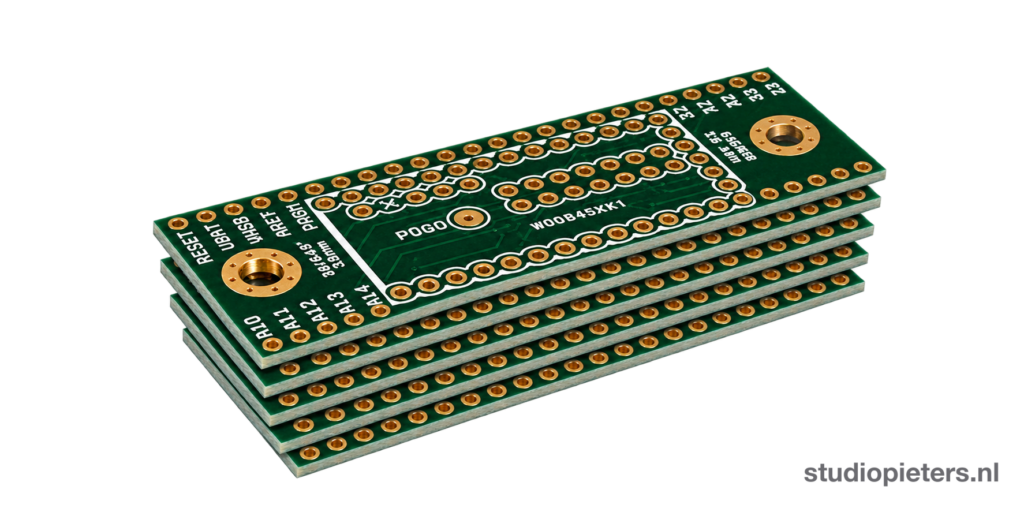
If a board has many small parts, let the factory place them. This is called PCB assembly. You upload a bill of materials (BOM) and a position file, and PCBWay finds the parts, places them and tests the result. You can also send your own parts.
For this to work your BOM needs a clear part number for every line. A line that only says “10k resistor” will bring a question from the engineers, and that costs time. Fill in the manufacturer part number in your design tool before you order.
CNC, 3D Printing and Sheet Metal
A board needs a box. PCBWay also makes mechanical parts from a 3D file, so you can have the enclosure made by the same company. A printed case from your own printer is fine for a test. When you want a metal front panel, a milled heat sink or a printed part in nylon, a service is the better choice, because you get materials and tolerances a home printer cannot reach.
It also helps with models like the ones on this site. A printed build with hard-to-print parts, such as the Pit Droid, can have a few parts made in a stronger material.
The KiCad Plugin
The part I like most is the PCBWay plug-in for KiCad. KiCad is the free design tool that I use for my boards, and the plug-in adds a button to the PCB editor. When you click it, the plug-in does the steps that you would otherwise do by hand:
- It exports the Gerber and drill files in the format that PCBWay needs.
- For an assembly order it also exports a netlist and a BOM with the component data.
- It sends the files to PCBWay, and you land on the order page with your board already loaded.
That saves the usual round of exporting, zipping, uploading and checking that you picked the right layers. It also removes a typical mistake: a missing drill file or a wrong layer name.
Install it
- Open KiCad and start the Plugin and Content Manager.
- Search for PCBWay Plug-in for KiCad in the plugin list and install it.
- Restart the PCB editor. The PCBWay button appears in the toolbar.
If you prefer a manual install, download the ZIP from the official GitHub repository and use Install from File in the same manager. PCBWay also describes the plug-in on its blog. Use the latest version, because the plug-in has been updated for newer KiCad releases and for assembly orders.
If you design a hat or a shield, start from the Raspberry Pi Zero W HAT template for KiCad, finish the board, and order it with the plug-in.
Your First Order, Step by Step
| Step | What to do | Check |
|---|---|---|
| 1 | Finish the design and run the design rule check (DRC) in KiCad | No errors, and the board outline is closed |
| 2 | Click the PCBWay button, or export the Gerber files yourself | The files contain every copper, mask, silkscreen and drill layer |
| 3 | Pick layers, thickness, finish and quantity | Defaults are fine for a first board |
| 4 | Look at the Gerber preview on the order page | The board looks like your design, not mirrored |
| 5 | Choose shipping and pay | Order a spare, small runs are cheap |
| 6 | Wait, then test | Check power and ground for shorts before you connect anything |
The PCBWay Community
PCBWay also has a project gallery where people share designs. Many shared projects come with the board files, so you can order the exact board the author used. I do this too: the Halloween Jack-o-Lantern V2 board has a shared project page where you can order it directly.
Practical Tips
- Order a spare. The price of a few extra boards is low, and the first board often teaches you something.
- Read the preview. Look at the Gerber viewer before you pay.
- Keep the BOM clean. Part numbers and a clear polarity mark prevent most assembly questions.
- Plan for shipping time. Production is quick, but delivery takes longer, so don’t order the week before a deadline.
- Check the import duty. Depending on your country, a shipment from China can bring VAT or handling costs.
Real Gotchas
- Specs and prices change. Treat any number you read in an article, including mine, as a starting point and check the order page.
- The factory builds what you send. It checks for manufacturing problems, not for design errors. A wrong pinout stays wrong.
- Assembly needs good data. Missing part numbers and unavailable parts delay an order.
Conclusion
PCBWay covers the road from idea to hardware: boards, assembly, stencils, CNC, 3D printing and sheet metal from one site. With the KiCad plug-in, the step from finished design to order is a single click. If you have a board design waiting on your hard drive, this is a good moment to build it.
Ready to try it? Start your first order at PCBWay. It supports Studio Pieters, at no extra cost to you.
Related
 3D printing
Philips Hue Bridge Wall Mount
Some projects never really get old. Even though I created this one quite a while ago, it is still one of the most downloaded and requested designs on my site: The Philips Hue Bridge Wall Mount.
Read more
Reference
Start Here: Your First ESP32 HomeKit Accessory
A step-by-step path through this site, from choosing HomeKit or Matter to a working ESP32 accessory you can update over the air.
Read more
 Reference
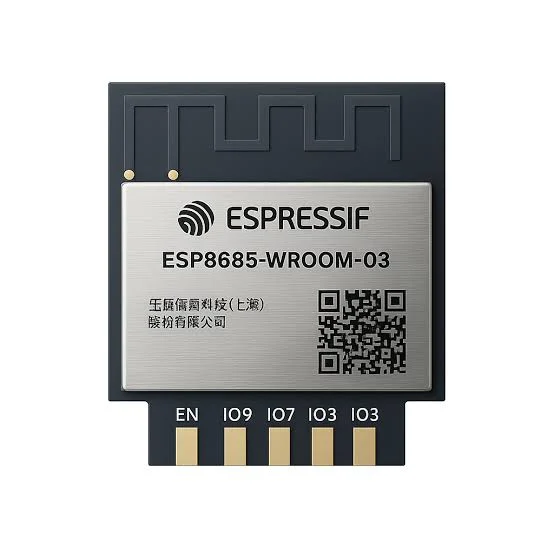
ESP8685-WROOM-03 Pinout
The complete pin reference for the ESP8685-WROOM-03: 11 castellated pads, 8 GPIOs, six test points, Wi-Fi and Bluetooth LE in 15.0 x 17.3 mm.
Read more
More from the blog
Keep building.
A new post every Tuesday: ESP32, HomeKit and DIY electronics, written from the workbench.
All blog posts