
Electronics
Mouse Bite Footprints for KiCad
Five mouse bite footprints for KiCad, for panelizing printed circuit boards with perforated break-off tabs, with a step by step guide to using them.
- KiCad
- 2 min read
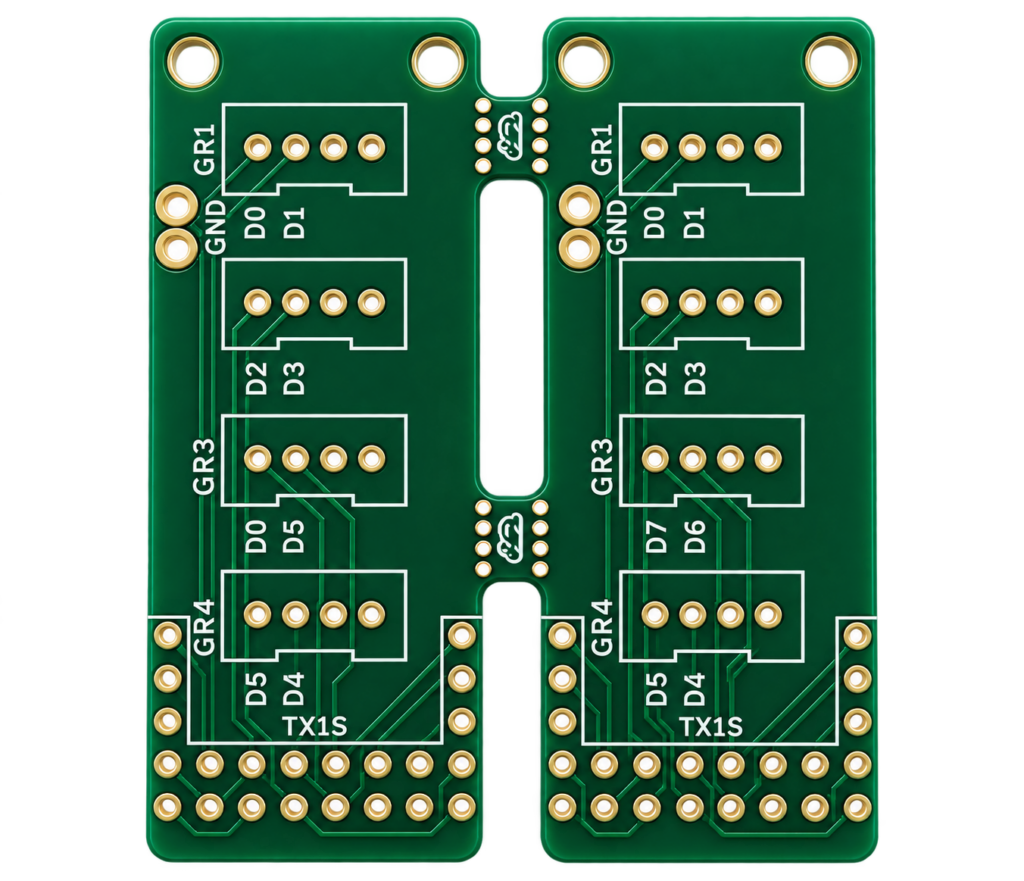
Mouse bites are the small perforated tabs along the edge of a printed circuit board. They let several boards be made together in a single panel and then be broken apart, and the row of small holes looks a bit like the perforation of a postage stamp. This is a set of KiCad footprints for drawing them.
The point of mouse bites is to make manufacturing simpler: the boards are produced together and separated afterwards by breaking them along the perforated line. The edge where the mouse bites were can be rough afterwards, and it may need filing or sanding to make it smooth, especially if the board goes into a case.
What is in the library
The library is a KiCad footprint library, a folder named mouse-bite.pretty. It has five mouse bite footprints and one icon footprint. Every hole is a non-plated through hole with a 0.5 mm drill.
| Footprint file | Number of holes |
|---|---|
| mouse-bite-1mm-3mm | 6 |
| mouse-bite-2mm-4mm | 6 |
| mouse-bite-2.54mm-4.66mm | 6 |
| mouse-bite-3mm-6mm | 10 |
| mouse-bite-5mm-10mm | 18 |
| Mouse-bite-icon | 46 |
The two measurements in a file name, in millimetres, grow from 1 mm – 3 mm to 5 mm – 10 mm, so pick the footprint that matches the size of the tab you need.
How to use it
- Download the repository.
- Add the folder
mouse-bite.prettyto your KiCad project folder. - Open your project and choose the PCB editor.
- Open the library manager under Preferences and choose Project Specific Libraries.
- Click the folder icon, select the
mouse-bite.prettyfolder and click Open. - In the PCB editor, click the footprint icon and type
mousein the search field. - Select your mouse bite and add it to your design.
- Place the footprint on the edge of your PCB.
- Connect the
Edge.Cutslayer to the footprint. - Draw the half circles on the
Edge.Cutslayer.
More KiCad from this site
The Raspberry Pi Zero W HAT template for KiCad is another set of KiCad files, with a board outline and a walkthrough for creating your own symbol.
Good to know
- The library is under the MIT licence, copyright 2024 StudioPieters.
- There is no release: download the repository as a ZIP or clone it.
Everything is in the mouse-bite.pretty repository on GitHub.
Related
 Software
ESP32 Lifecycle Manager V2.0
A slow, friendly, step-by-step introduction to OTA updates trough Lifecycle Manager on the ESP32. I get quite a lot of messages and questions from people who want to “try OTA updates”, but who get stuck almost immediately.
Read more
Software
ESP32 Lifecycle Manager V2.0
A slow, friendly, step-by-step introduction to OTA updates trough Lifecycle Manager on the ESP32. I get quite a lot of messages and questions from people who want to “try OTA updates”, but who get stuck almost immediately.
Read more
 Software
Homebridge Plugin for an HTTP Switch
A Homebridge plugin that calls a web address to switch a device on and off, and shows it as a switch in the Home app.
Read more
Software
Homebridge Plugin for an HTTP Switch
A Homebridge plugin that calls a web address to switch a device on and off, and shows it as a switch in the Home app.
Read more
 Electronics
Raspberry Pi Zero W HAT Template for KiCad
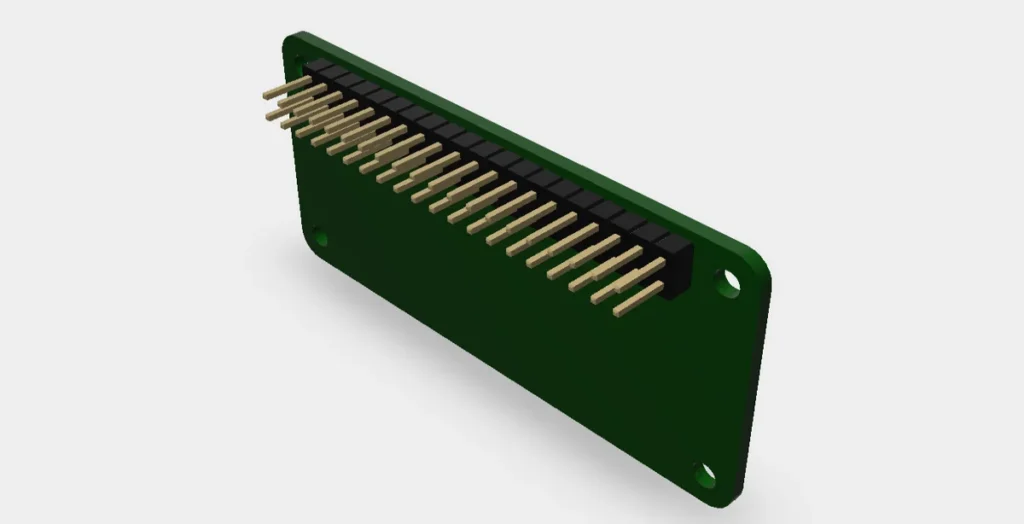
A ready-made KiCad starting point for a Raspberry Pi Zero W HAT: the exact board outline, mounting holes and 40-pin header, plus a 3D model, MIT licensed. Includes a walkthrough for creating your own KiCad symbol.
Read more
Electronics
Raspberry Pi Zero W HAT Template for KiCad
A ready-made KiCad starting point for a Raspberry Pi Zero W HAT: the exact board outline, mounting holes and 40-pin header, plus a 3D model, MIT licensed. Includes a walkthrough for creating your own KiCad symbol.
Read more
More projects
Keep building.
Electronics, 3D printing and CNC builds, documented from the first idea to the last screw.
All projects