
Software
ESP32 Button Library for ESP-IDF
A button library for the ESP32 that reports single, double, triple and long presses through a callback, packaged as an ESP-IDF component.
- ESP32
- ESP-IDF
- 3 min read
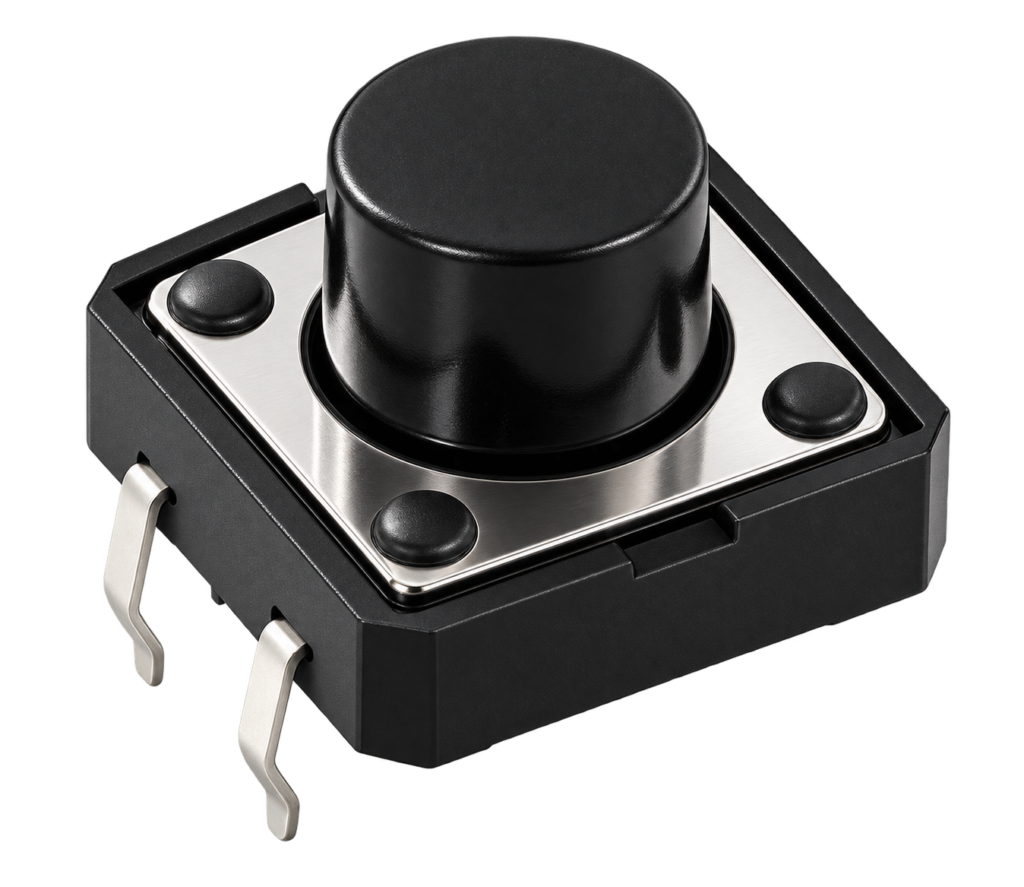
A button library for the ESP32, written for ESP-IDF. Connect a button to a GPIO, and your code is called for a single press, a double press, a triple press or a long press, with the timing and the debouncing handled for you.
The component
| Property | Value |
|---|---|
| Name and version | esp32-button, 1.2.3 |
| Requires | ESP-IDF 5.0 or newer |
| Targets | ESP32, ESP32-C2, ESP32-C3, ESP32-C5, ESP32-C6, ESP32-C61, ESP32-S2 and ESP32-S3 |
| Licence | MIT |
The repository is packaged as an ESP-IDF component. One way to use it is as a dependency in the idf_component.yml of your project:
dependencies:
  esp32-button:
    git: https://github.com/AchimPieters/esp32-button.git
    path: agent/embedded
The path line is needed because the component lives in the agent/embedded folder of the repository, see the note at the end. It is also what the ESP32 HomeKit Sunshade uses, which requires version 1.2.3 or newer.
Using it
Create a button with button_create, give it a callback, and handle the events:
| Event | When |
|---|---|
| button_event_single_press | The button is pressed once |
| button_event_double_press | The button is pressed twice in a row |
| button_event_tripple_press | Three presses in a row (the spelling is as in the header) |
| button_event_long_press | The button is held for the long press time |
void button_callback(button_event_t event, void *context) {
    switch (event) {
    case button_event_single_press:
        ESP_LOGI("BUTTON", "Single press");
        break;
    case button_event_double_press:
        ESP_LOGI("BUTTON", "Double press");
        break;
    case button_event_long_press:
        ESP_LOGI("BUTTON", "Long press");
        break;
    default:
        ESP_LOGI("BUTTON", "Unknown button event: %d", event);
        break;
    }
}

void app_main(void)
{
    button_config_t config = button_config_default(button_active_low);
    config.max_repeat_presses = 3;
    config.long_press_time = 1000;

    if (button_create(BUTTON_GPIO, config, button_callback, NULL)) {
        ESP_LOGE("BUTTON", "Failed to initialize button");
    }
}
button_destroy removes a button again. The example output looks like this:
I (12345) BUTTON: Single press
I (14345) BUTTON: Double press
I (20345) BUTTON: Long press
Configuration
You can set the options in menuconfig under the esp32-button component:
| Setting | What it does | Default |
|---|---|---|
| GPIO number | The GPIO the button is on | 0 |
| Active low or high | Whether the button gives a LOW or a HIGH when pressed | Active low |
| Long press time (ms) | How long to hold the button for a long press | 1000 |
| Max repeat presses | How many repeated presses are recognised, for double and triple presses | 3 |
In code, button_config_default gives a starting point with a repeat press timeout of 300 ms, a maximum of 1 repeat press and no long press, and you change the fields you need: long_press_time, repeat_press_timeout and max_repeat_presses, all in milliseconds or counts.
Wiring
Connect one side of the button to the GPIO, and the other side to GND for an active-low button, or to VCC for an active-high one. Use an external pull-up or pull-down resistor, or the internal one of the ESP32. Make sure the wiring matches the active level you configured.
Return values
button_create returns 0 when it works, and a negative number when it does not:
| Value | Meaning |
|---|---|
| -1 | The GPIO is already registered |
| -2 | The timer resources for the button cannot be created |
| -4 | The GPIO toggle helper cannot be initialised |
| -5 | The GPIO number is invalid |
| -6 | The callback pointer is NULL |
| -7 | The button lock cannot be created |
Underneath, the library uses a small toggle helper, toggle_create, that watches a GPIO for changes, and it is part of the component.
Good to know
- The main branch of this repository now also holds a different project, an enterprise signage platform with a backend, with the button component moved into the
agent/embeddedfolder. The button library described here is what is in that folder. - The component is under the MIT licence. The repository itself carries no licence file at its top level.
Everything is in the esp32-button repository on GitHub.
Related
 Software
ESP8266 HomeKit SDK in Docker: Build Your Own Firmware
Two Docker images with the ESP toolchain and ESP-Open-RTOS, to build ESP8266 HomeKit firmware on a Mac, from build to Apple Home.
Read more
Software
ESP8266 HomeKit SDK in Docker: Build Your Own Firmware
Two Docker images with the ESP toolchain and ESP-Open-RTOS, to build ESP8266 HomeKit firmware on a Mac, from build to Apple Home.
Read more
 Electronics
Mouse Bite Footprints for KiCad
Five mouse bite footprints for KiCad, for panelizing printed circuit boards with perforated break-off tabs, with a step by step guide to using them.
Read more
Electronics
Mouse Bite Footprints for KiCad
Five mouse bite footprints for KiCad, for panelizing printed circuit boards with perforated break-off tabs, with a step by step guide to using them.
Read more
 Opinion
The ESP32 Family, Explained Honestly
A plain-language walkthrough of every real ESP32 family (and the ESP8266), what each is actually good at, and which one to reach for depending on what you're building.
Read more
Opinion
The ESP32 Family, Explained Honestly
A plain-language walkthrough of every real ESP32 family (and the ESP8266), what each is actually good at, and which one to reach for depending on what you're building.
Read more
More projects
Keep building.
Electronics, 3D printing and CNC builds, documented from the first idea to the last screw.
All projects