
HomeKit
ESP8266 HomeKit Door Lock
A 12 V electric lock controlled from the Home app with an ESP8266 and a relay, with a manual button and a 5 second automatic relock. A breadboard build made to test the firmware.
- ESP8266
- HomeKit
- 3 min read
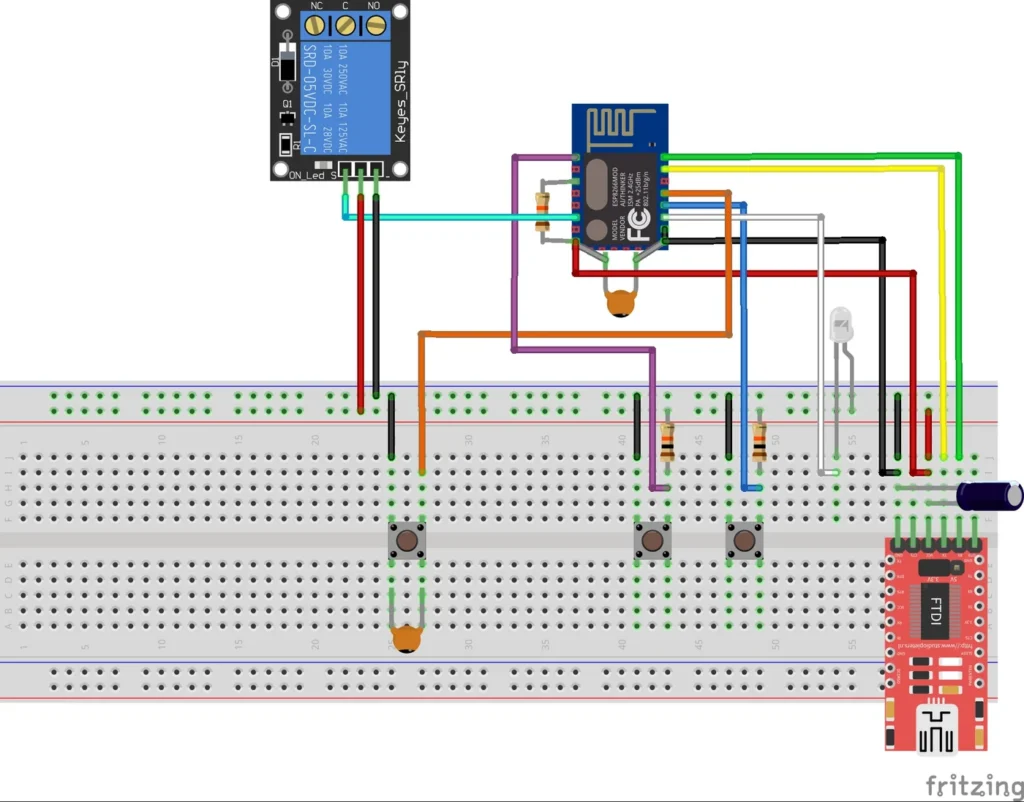
This project turns a 12 V electric lock into an Apple HomeKit accessory. An ESP8266 switches the lock through a relay, and you open and close it from the Home app or with Siri, with a button on the device as a manual backup. The lock relocks by itself after 5 seconds.
It is a breadboard build that was made to test the firmware and to see whether it can be used in practice, so treat it as a working prototype and not as a finished door lock.
What it does
| Feature | Details |
|---|---|
| HomeKit lock | The lock shows up in the Home app, with open and close control |
| Automatic relock | The lock closes again after 5 seconds |
| Manual control | One push button opens and closes the lock |
| LED | Blinks for HomeKit Identify and shows whether the lock is open or closed |
| Updates | Over the air, through Life Cycle Manager 2 |
| No cloud | Control stays on your own network, like the other HomeKit accessories on this site |
Hardware
| Component | Notes |
|---|---|
| ESP8266 module | An Ai-Thinker ESP8266 module of the ESP-12 type. See the ESP8266 pinout |
| 1-channel relay module | A Keyes SRD-05VDC-SL-C module, with NC, C and NO screw terminals |
| 12 V electric lock | Compact and water resistant, electronically controlled, made for cabinets and doors, easy to install |
| 3 push buttons | One to open and close the lock, one for boot and one for enable, both used for programming |
| LED | Identification and lock status |
| USB-serial (FTDI) adapter | For the first flash, set to 3.3 V logic |
| Resistors and capacitors | Pull-ups and decoupling, as shown in the diagram |
The relay module is marked for 10 A at 250 V AC and 30 V DC. The lock only needs 12 V DC, which is well inside that. The lock’s 12 V supply is switched through the relay contacts.
Wiring
The Fritzing diagram at the top of this page shows the whole build on a breadboard. Reading it against the module’s pinout gives this pin assignment:
| Function | ESP8266 pin |
|---|---|
| Relay signal | GPIO12 |
| Open and close button | GPIO4 |
| Boot button (programming) | GPIO0 |
| LED | GPIO2 |
| Serial to the FTDI adapter | TXD and RXD |
These pins are read from the Fritzing diagram and are not listed in the repository text, so check them against the diagram before you build. The enable line has a pull-up resistor, and a button is wired to it for programming. Use an FTDI adapter set to 3.3 V, because a 5 V adapter can damage the module.
Flash and install
The installation is the same as for the other ESP8266 HomeKit accessories on this site. The firmware runs on ESP-Open-RTOS with Life Cycle Manager 2, which sets up the WiFi and installs updates over the air. The full steps, from installing esptool to flashing, joining the LCM- WiFi network and pairing, are in ESP8266 HomeKit Blinds.
For this accessory, use these values in the Life Cycle Manager 2 portal:
| Field | Value |
|---|---|
| OTA repository | AchimPieters/ESP8266-HomeKit-Lock |
| OTA binary file | main.bin |
When the installation is done, scan the QR code the device generates in the Home app to add it.
Firmware releases
| Version | Date | Changes |
|---|---|---|
| 0.0.2 | 28 August 2020 | Minor bug fixes and OTA update added |
| 0.0.1 | 24 May 2019 | First release |
Each release has a main.bin and a signature file, main.bin.sig.
Good to know
- This is a test setup. Check how the lock behaves when the power fails before you rely on it for a real door or cabinet.
- The HomeKit Accessory Protocol specification the firmware follows is the non-commercial version, for accessories you build yourself and do not distribute or sell.
- The firmware is distributed as binaries in the releases. The repository has the wiring diagram and licence (MIT), but no source code.
Everything is in the ESP8266-HomeKit-Lock repository on GitHub.
Related
 HomeKit
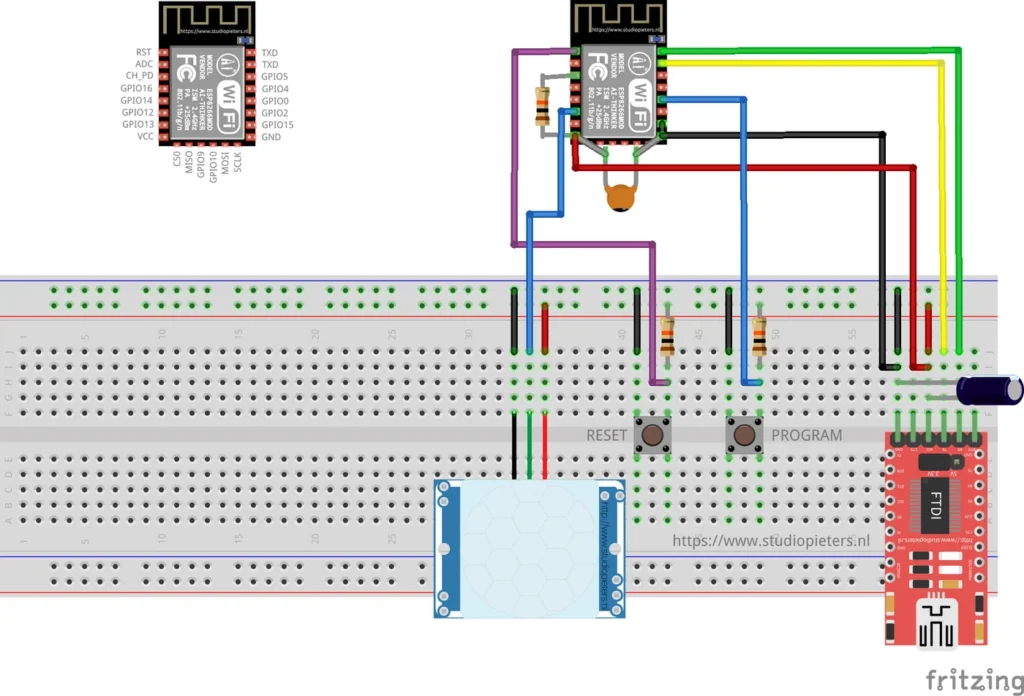
ESP8266 HomeKit Motion Sensor with an HC-SR501
A HomeKit motion sensor on an ESP8266 with an HC-SR501 PIR module, including how to set its sensitivity, time delay and trigger mode.
Read more
HomeKit
ESP8266 HomeKit Motion Sensor with an HC-SR501
A HomeKit motion sensor on an ESP8266 with an HC-SR501 PIR module, including how to set its sensitivity, time delay and trigger mode.
Read more
 HomeKit
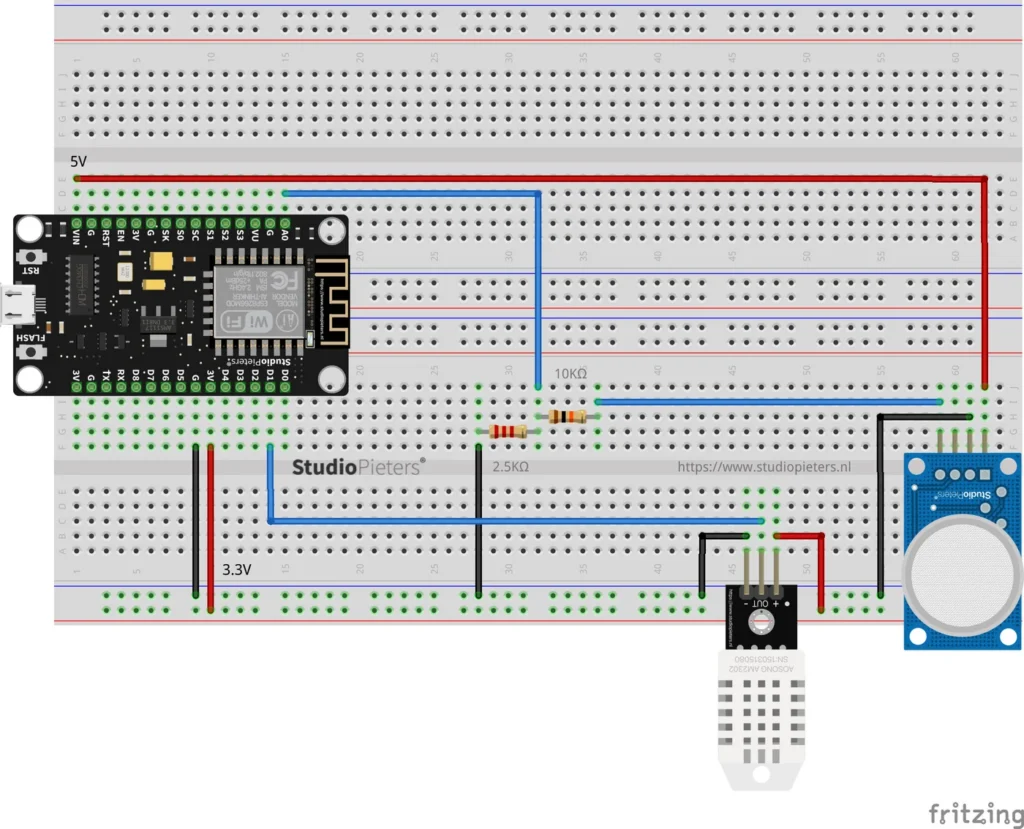
ESP8266 HomeKit Air Quality Sensor with an MQ135
A NodeMCU with an MQ135 gas sensor and a DHT22 as an air quality, temperature and humidity sensor in Apple Home, built as a test setup.
Read more
HomeKit
ESP8266 HomeKit Air Quality Sensor with an MQ135
A NodeMCU with an MQ135 gas sensor and a DHT22 as an air quality, temperature and humidity sensor in Apple Home, built as a test setup.
Read more
 HomeKit
ESP32 HomeKit for Total Beginners
A slow, friendly, step-by-step guide from zero to working HomeKit accessory. I get a lot of e-mails and questions from people who want to “give ESP32 HomeKit a try”, but who get stuck almost immediately.
Read more
HomeKit
ESP32 HomeKit for Total Beginners
A slow, friendly, step-by-step guide from zero to working HomeKit accessory. I get a lot of e-mails and questions from people who want to “give ESP32 HomeKit a try”, but who get stuck almost immediately.
Read more
More HomeKit
Keep building.
Switches, sensors, plugs and blinds: more accessories that you build yourself and add to the Home app.
All HomeKit