
The ESP32-C3 Super Mini combines a compact design with powerful capabilities, thanks to the ESP32-C3 microcontroller at its core. Its small form factor and versatile features make it an excellent choice for a wide range of HomeKit projects. In this guide, you’ll learn everything you need to know about its pinout and how to use it effectively.
What is the ESP32-C3 Super Mini?
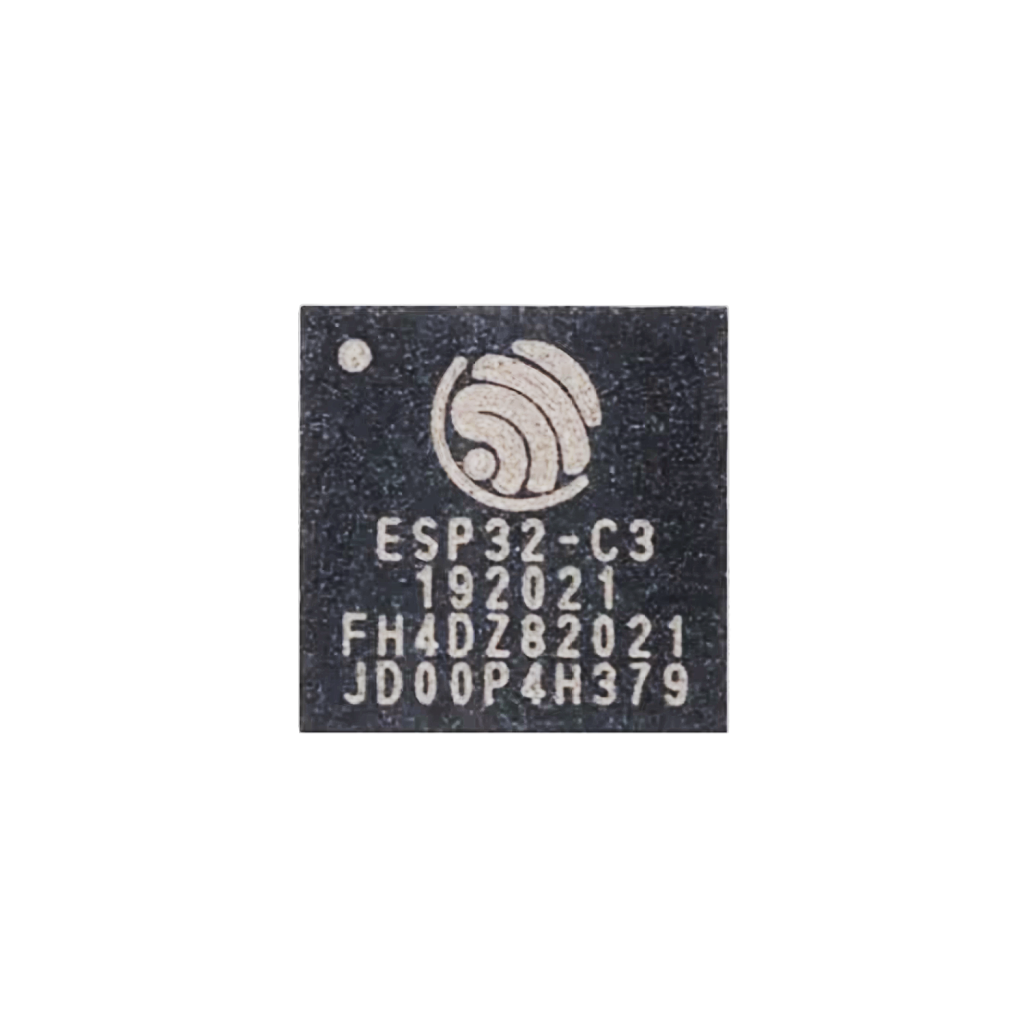
System-on-Chip (SoC)
The ESP32-C3 packs a single-core 32-bit RISC-V processor running at up to 160 MHz, and integrates Wi-Fi (802.11 b/g/n) and Bluetooth 5 (LE). It also offers hardware security features like secure boot and flash encryption, which make it ideal for secure IoT deployments.
Development Board
The ESP32-C3 Super Mini development board includes a USB-C port for power and programming, two onboard buttons (EN and BOOT), and an onboard LED connected to GPIO8. It exposes 11 usable GPIO pins through castellated headers (not all 22 chip pins are broken out), making it ideal for breadboarding and compact installations.
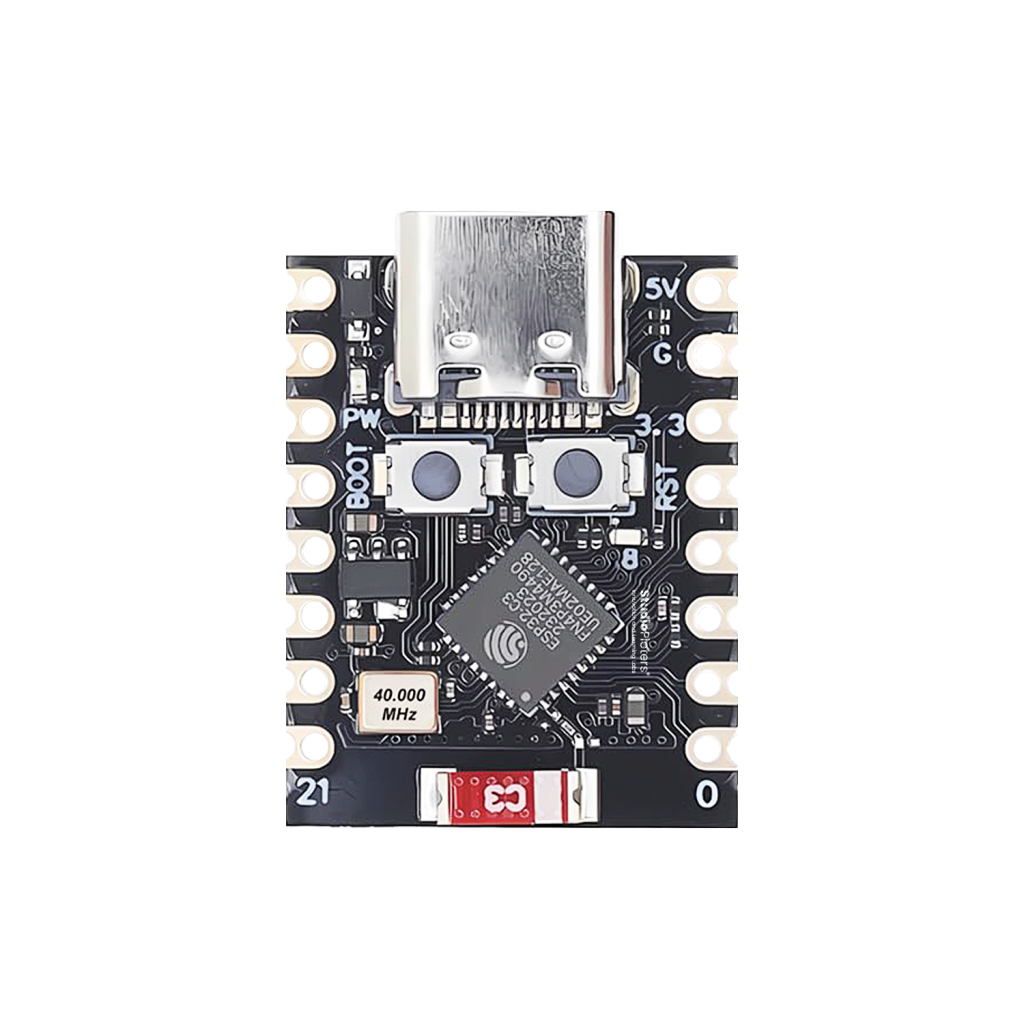
Designed for Wireless + Low Power
Key features of the ESP32-C3 Super Mini:
- Microcontroller: ESP32-C3FN4/FH4, 32-bit RISC-V single-core processor @ 160 MHz
- Connectivity: 2.4 GHz Wi-Fi (802.11 b/g/n), Bluetooth Low Energy 5.0
- Memory: 4 MB embedded flash
- Power: USB-C or 5 V pin
- Form factor: Extremely compact, ideal for space-limited projects
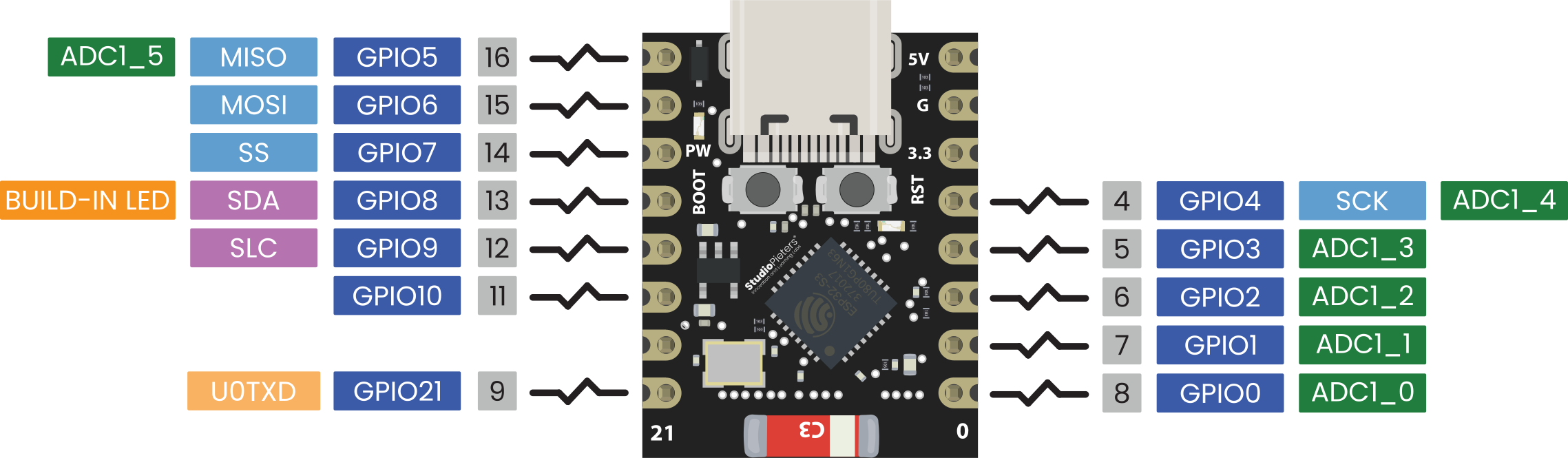
ESP32-C3 Super Mini Pinout Diagram
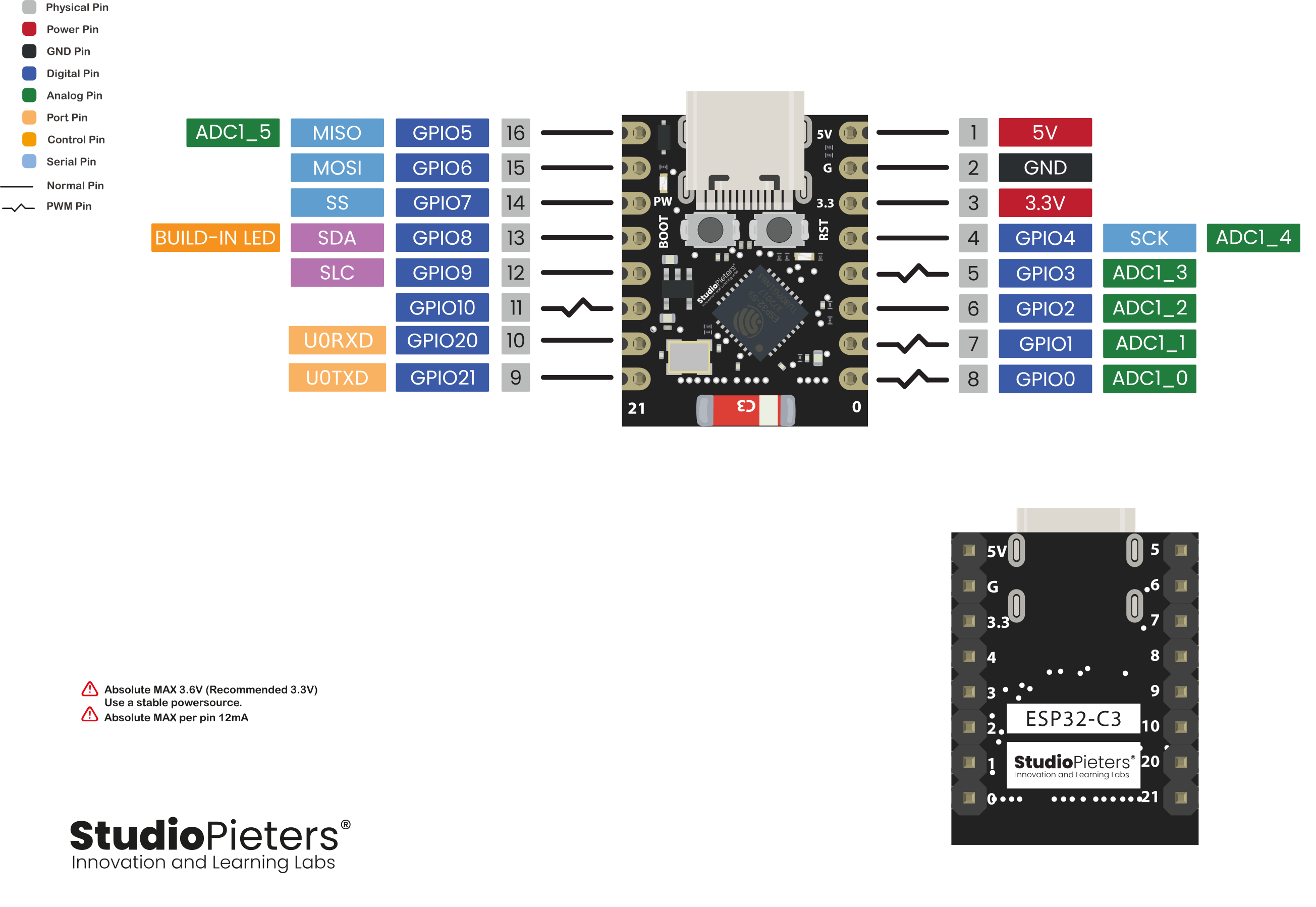
** The ESP32 C3 Super Mini pinout is available for download at the end of this post in high resolution – for free!
GPIO Overview
The ESP32-C3 offers multiple peripheral functions on each GPIO thanks to its internal GPIO matrix. However, some pins have special roles or limitations based on board design.
General-Purpose GPIOs
All exposed GPIO’s can operate as digital inputs or outputs and support interrupts. Most include internal pull-ups and pull-downs, but external resistors are recommended for stability.
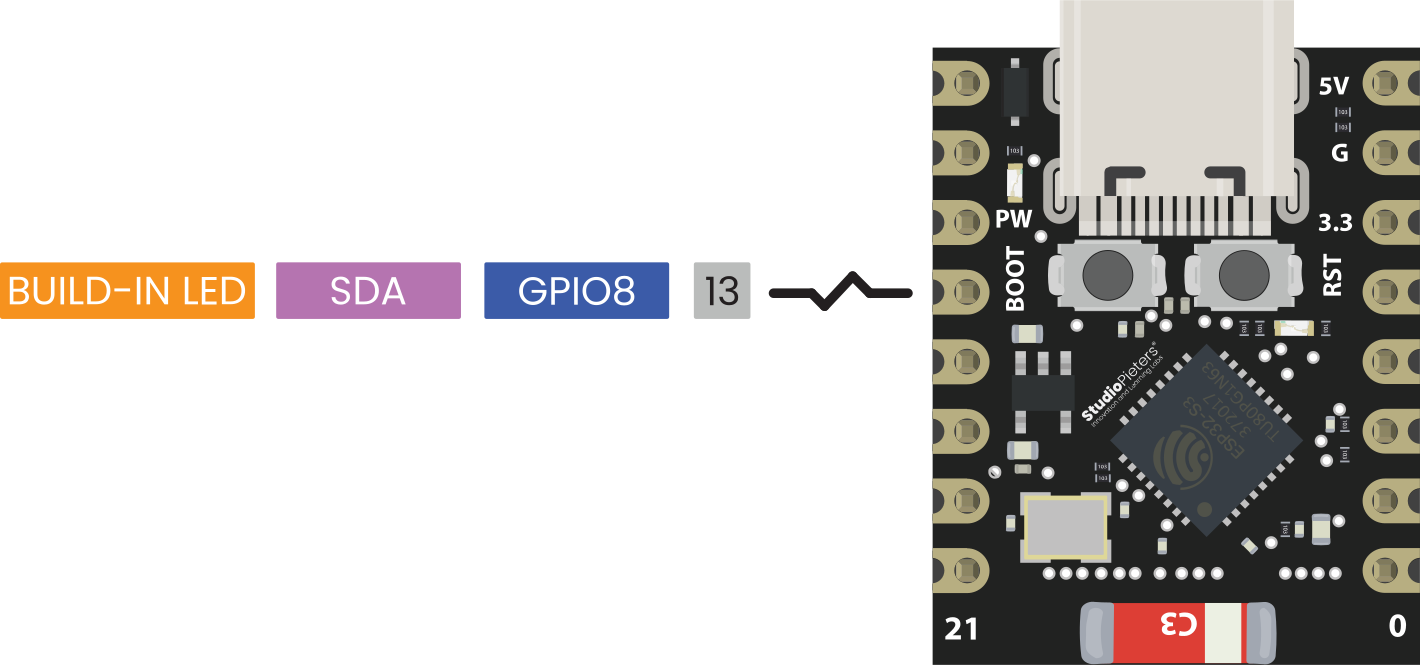
Onboard LED
- GPIO8 — drives the onboard blue LED.
Note: GPIO8 is also a strapping pin, so avoid pulling it low during boot.
Special Pin Functions
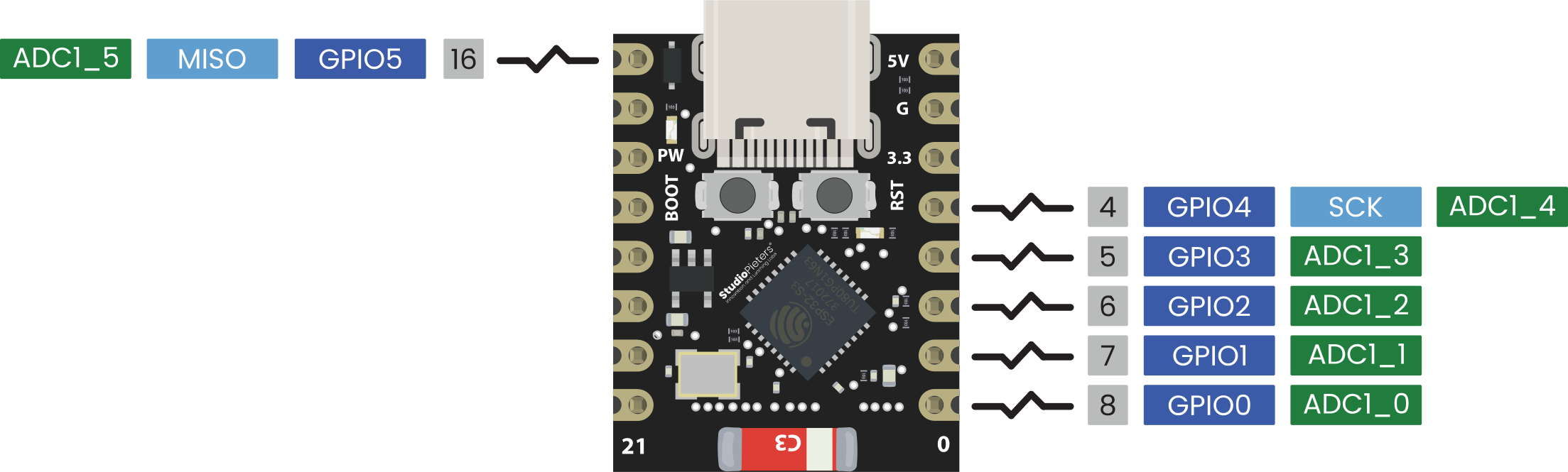
ADC (Analog-to-Digital Converter)
The ESP32-C3 has 6 ADC channels with 12-bit resolution:
- ADC1: GPIO0, GPIO1, GPIO2, GPIO3, GPIO4
- ADC2: GPIO5
GPIO5 uses ADC2, which has more limitations (especially with Wi-Fi enabled), but still works for basic sensing.
Applications: battery monitoring, potentiometers, temperature sensors
PWM (Pulse Width Modulation)
All accessible GPIO pins on the ESP32-C3 Super Mini support PWM via the LEDC peripheral.
Perfect for:
- LED dimming
- Motor control
- Audio generation
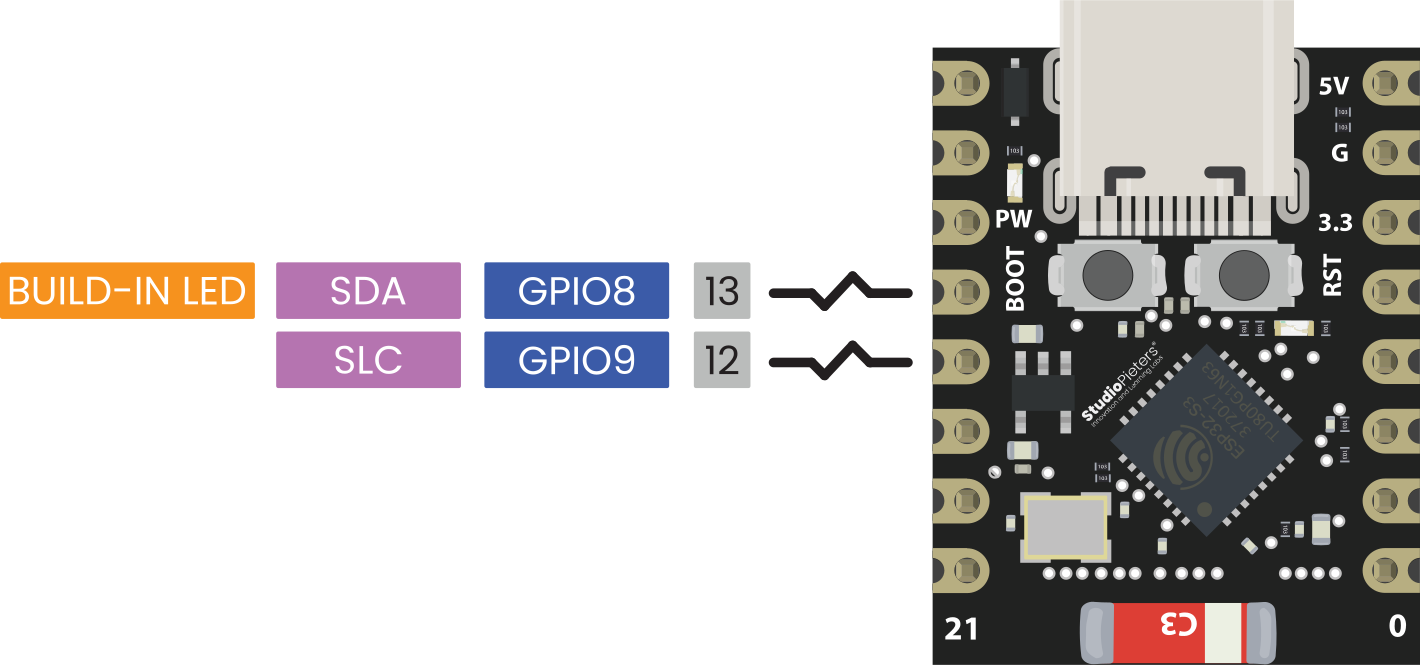
I2C Communication
I²C can be assigned to almost any free GPIO. On many Arduino board definitions, you’ll see default mappings such as:
- SDA = GPIO8
- SCL = GPIO9
However:
- GPIO9 is a strapping/boot pin.
Pulling it low during reset may prevent boot.
Recommended safer mapping:
SCL = GPIO6
SDA = GPIO5
Wire.begin(5, 6);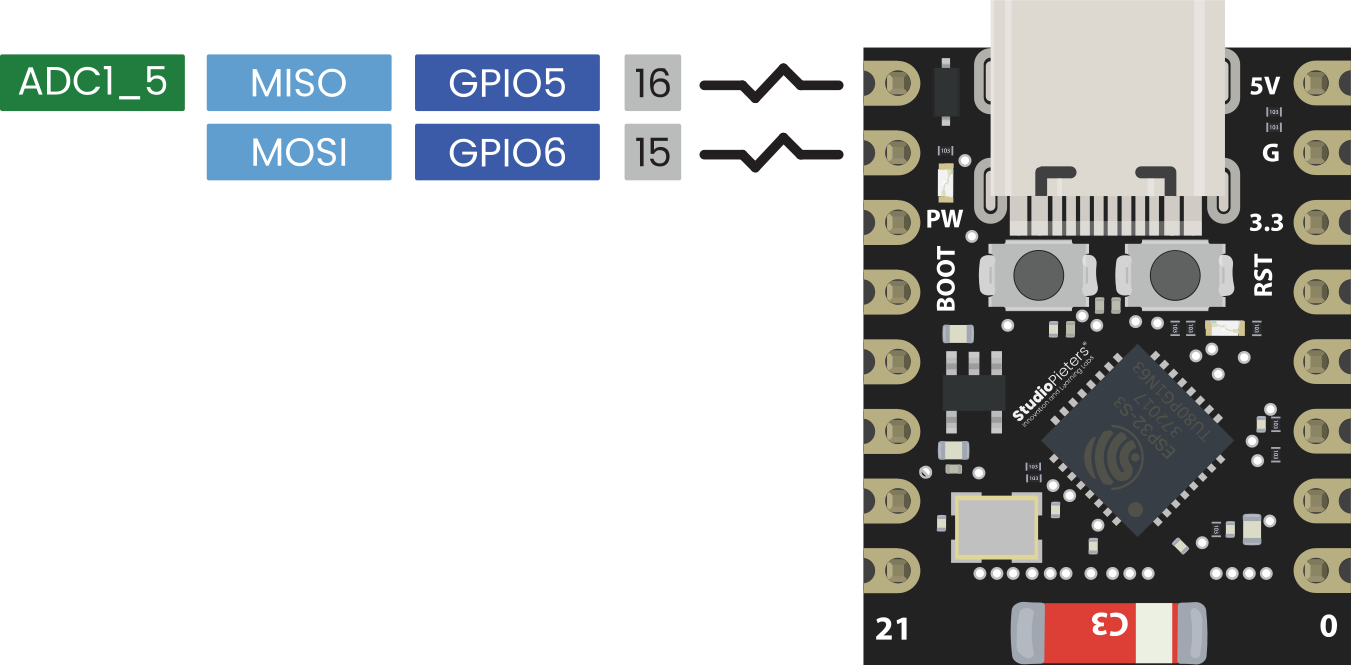
SPI Communication
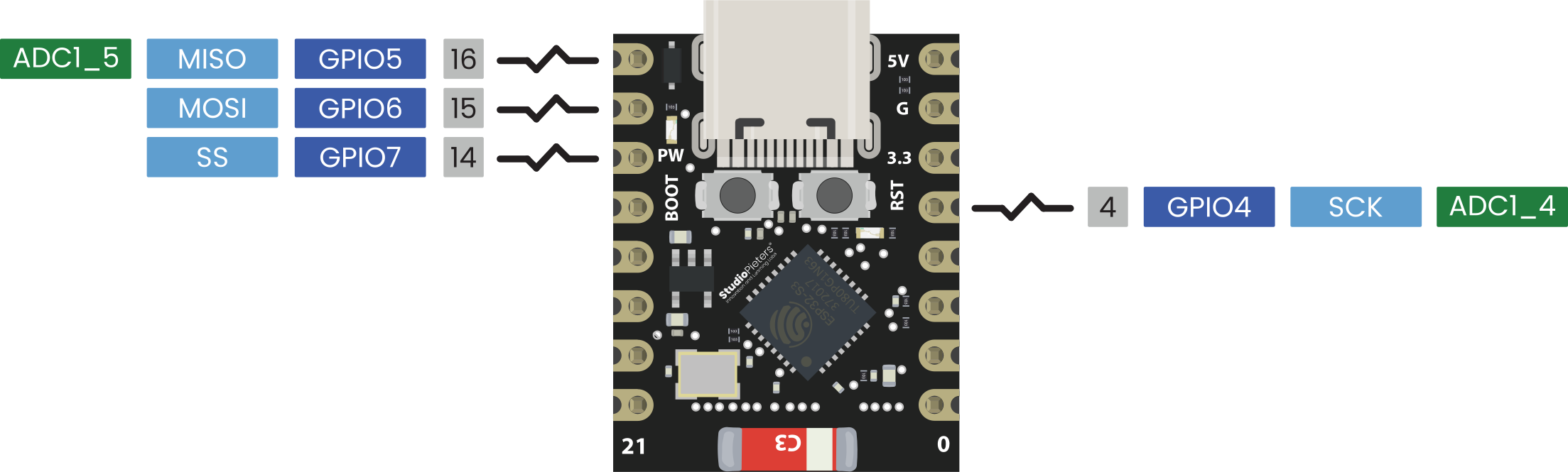
The SPI interface is flexible and can be mapped to several pins. A commonly used mapping on the ESP32-C3 Super Mini is:
- MOSI: GPIO6
- MISO: GPIO5
- SCLK: GPIO4
- CS: GPIO7
(Exact mappings may vary by framework; verify per project.)
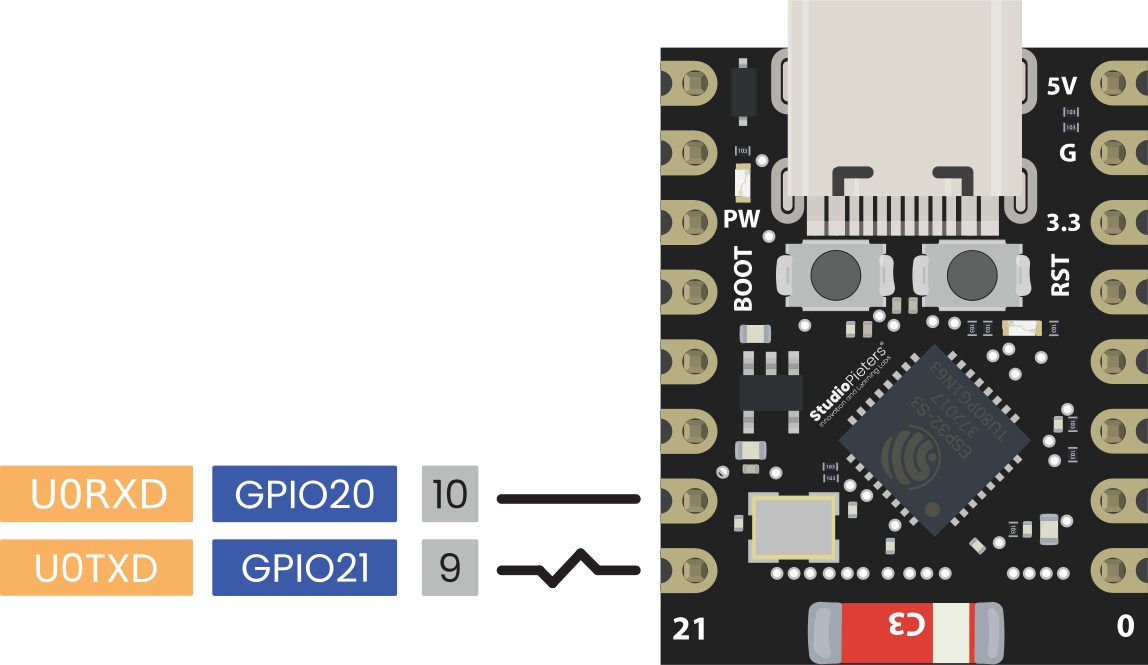
UART Communication
The ESP32-C3 offers two UART controllers.
On the ESP32-C3 Super Mini:
- UART0 TX: GPIO21
- UART0 RX: GPIO20
These are available to the user — they are NOT connected to a CH340 chip.
USB Programming
The Super Mini uses the native USB-Serial/JTAG interface built into the ESP32-C3. The USB-C port connects directly to:
- GPIO18 = USB D-
- GPIO19 = USB D+
No CH340 or CP2102 is used on this board.
Strapping Pins
These pins determine boot mode and must be treated carefully:
- GPIO2 — strapping pin
- GPIO8 — strapping + onboard LED
- GPIO9 — strapping + BOOT button
Important:
- GPIO9 is NOT connected to internal flash.
- GPIO12–17 (not broken out on the SuperMini) are used internally for embedded flash.
Avoid pulling GPIO2, GPIO8, or GPIO9 low during boot.
USB Pins
The ESP32-C3 provides native USB support on:
- GPIO18 (D–)
- GPIO19 (D+)
The ESP32-C3 Super Mini does use this native USB, making external chips like CH340 unnecessary.
GPIO Reference Table
| GPIO | Special Function | ADC | PWM | Notes |
|---|---|---|---|---|
| 0 | ADC1_CH0 | Yes | Yes | |
| 1 | ADC1_CH1 | Yes | Yes | |
| 2 | ADC1_CH2 | Yes | Yes | Strapping pin |
| 3 | ADC1_CH3 | Yes | Yes | |
| 4 | ADC1_CH4 | Yes | Yes | Often used as SCLK |
| 5 | ADC2_CH0 | Yes | Yes | Good for I²C SDA |
| 6 | — | No | Yes | Good for I²C SCL / MOSI |
| 7 | — | No | Yes | Often used as CS |
| 8 | Onboard LED | No | Yes | Strapping pin |
| 9 | BOOT button | No | Yes | Strapping pin — use carefully |
| 10 | — | No | Yes | Free GPIO |
| 20 | UART0 RX | No | Yes | Fully usable |
| 21 | UART0 TX | No | Yes | Fully usable |
Best Practices & Warnings
Do:
- Use GPIO8 to control the onboard LED
- Add debounce logic for physical buttons
- Add 4.7k–10k pull-ups for I²C SDA/SCL
- Keep strapping pins stable during reset
Don’t:
- Use GPIO9 for critical signals (strapping pin)
- Assume ADC2 (GPIO5) is fully reliable under heavy Wi-Fi load
- Exceed ~20 mA per pin (5–12 mA recommended for LED’s)
How to Program the ESP32-C3 Super Mini
Programming Methods
- Arduino IDE — easy and quick
- PlatformIO — professional workflow
- ESP-IDF — full control with the official toolchain
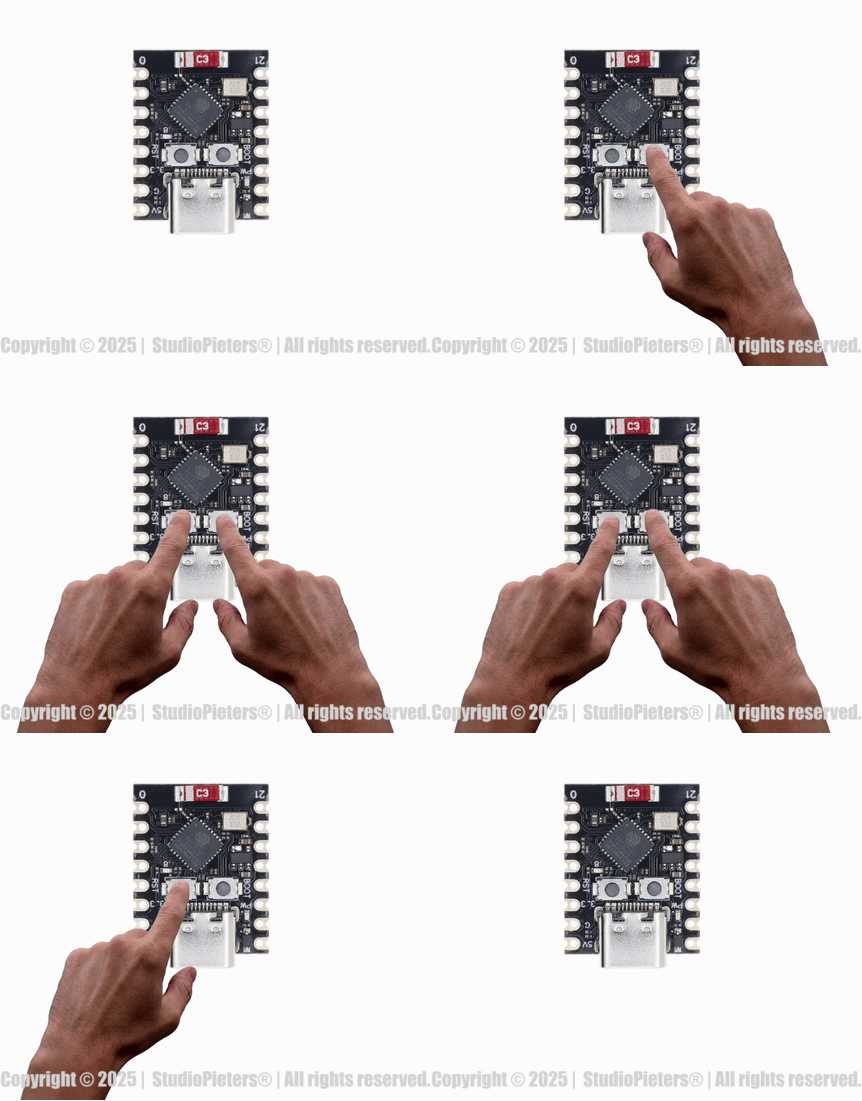
Flashing the Board
Because this board uses native USB:
- Connect via USB-C
- Hold BOOT, press EN, release BOOT (if needed)
- Upload code
Most environments (Arduino, PlatformIO) automatically trigger the correct boot mode. No external FTDI or CH340 is required.
Conclusion: Tiny Size, Massive Potential
The ESP32-C3 Super Mini shows that great things truly come in small packages. With its powerful RISC-V processor, reliable wireless connectivity, and built-in security features, this compact board is perfect for next-generation embedded applications. By understanding the pinout and leveraging the full capabilities of its GPIO matrix, you can unlock impressive functionality in even the smallest projects.
Happy Building!
Download the ESP32-C3 Super Mini pinout here in high resolution – for free*!
* Free to use under the MIT license — attribution is required.