
Guide
AI-C3 Pinout
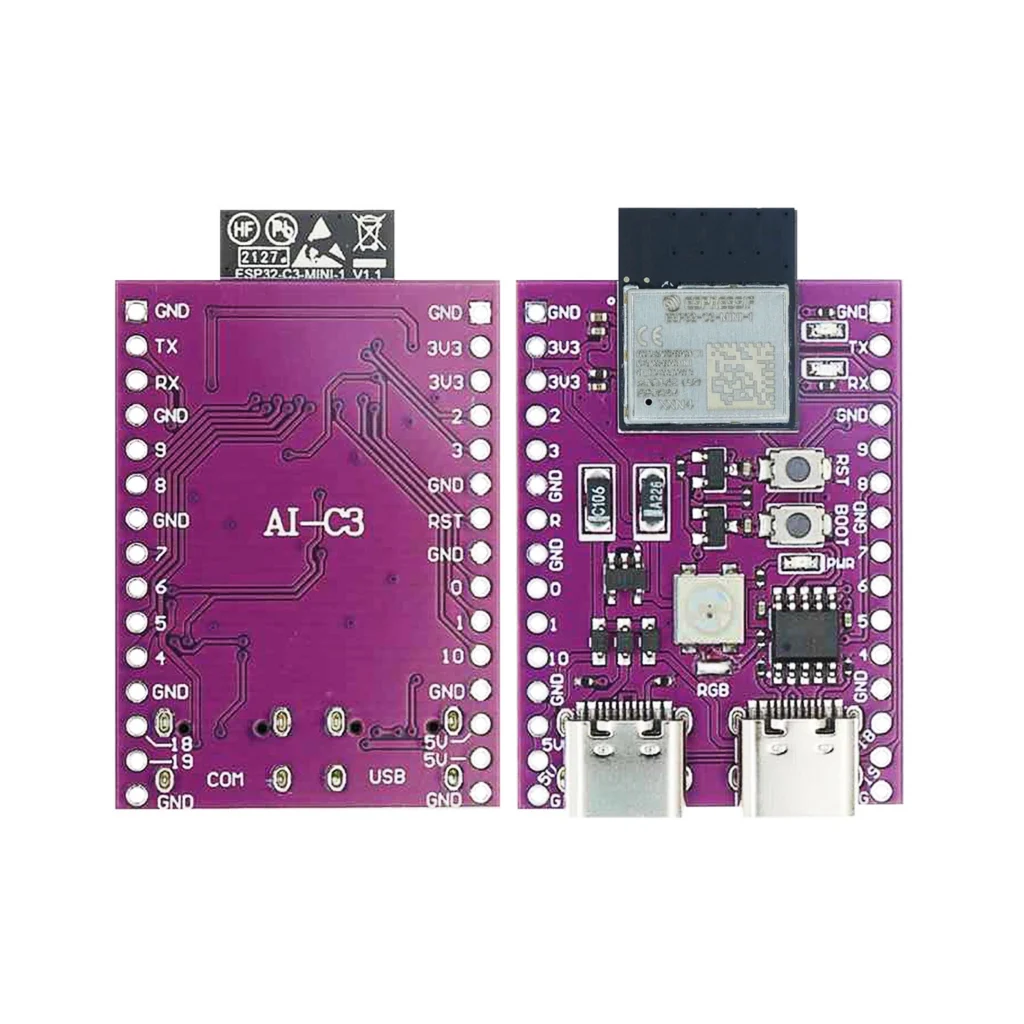
The complete pin reference for the AI-C3: a compact ESP32-C3-MINI-1 dev board with a USB-C port, onboard RGB LED, and 22 usable GPIOs.
- ESP32
- Safety notes
- 3 min read
Overview
The AI-C3 is a compact ESP32-C3-MINI-1 development board with an eye-catching purple PCB, onboard USB-C port, addressable RGB LED and clean pin labeling. It’s the same ESP32-C3-MINI-1 module used on the “Super Mini” style boards covered in the separate ESP32-C3-MINI-1 guide, just on a different carrier board with its own layout and a CH9102 USB-to-serial chip instead.


No 802.15.4 radio on this chip, so Thread and Zigbee aren’t possible here: that needs an ESP32-C6 or H2 instead.
Getting started
The CH9102 USB-to-serial chip needs a driver on some systems (mainly older Windows versions), if the board doesn’t show up as a serial port, install the CH9102 driver before anything else.
Hello World: blink an LED
The microcontroller equivalent of “Hello World”: GPIO10 toggles once a second, shown here in two different environments. Wire an LED (with a resistor) to GPIO10, a plain general-purpose pin with no other job on this board.
#include "freertos/FreeRTOS.h"
#include "freertos/task.h"
#include "driver/gpio.h"

#define LED_PIN GPIO_NUM_10

void app_main(void)
{
    gpio_reset_pin(LED_PIN);
    gpio_set_direction(LED_PIN, GPIO_MODE_OUTPUT);

    while (1) {
        gpio_set_level(LED_PIN, 1);
        vTaskDelay(pdMS_TO_TICKS(1000));
        gpio_set_level(LED_PIN, 0);
        vTaskDelay(pdMS_TO_TICKS(1000));
    }
}
#define LED_PIN 10
void setup() {
pinMode(LED_PIN, OUTPUT);
}
void loop() {
digitalWrite(LED_PIN, HIGH);
delay(1000);
digitalWrite(LED_PIN, LOW);
delay(1000);
}ESP-IDF: build and flash with idf.py build flash monitor. Arduino IDE: install ESP32 board support first, see “Getting started” above.
Specifications
Specifications for the AI-C3 board and its underlying ESP32-C3-MINI-1 module.
Compute
| Chip | ESP32-C3 |
| CPU | Single-core RISC-V, up to 160 MHz |
| SRAM | 400 KB |
| Flash | 4 MB, embedded in the module package |
Radio
| Wi-Fi | 802.11 b/g/n, 2.4 GHz |
| Bluetooth | 5.0 LE |
| Security | Secure boot, flash encryption |
Physical
| Operating voltage | 3.3V |
| Module dimensions | 13.2 × 16.6 × 2.4 mm |
| GPIOs | 22 usable |
| ADC | 12-bit, 11 channels |
Pinout diagram
The AI-C3 uses the same ESP32-C3-MINI-1 module as the “Super Mini” style boards, so the underlying GPIO pinout is identical, only the board layout and silkscreen differ.

GPIO quick reference
None of the ESP32-C3’s GPIOs are input-only, every pin listed here supports both directions.
| GPIO | Special function | ADC | PWM | Boot state |
|---|---|---|---|---|
| 0 | ADC1_CH0 | Yes | Yes | Free |
| 1 | ADC1_CH1 | Yes | Yes | Free |
| 2 | ADC1_CH2 | Yes | Yes | Strapping |
| 3 | ADC1_CH3, SPI CS | Yes | Yes | Free |
| 4 | ADC1_CH4, SPI CLK | Yes | Yes | Free |
| 5 | ADC1_CH5 | Yes | Yes | Free |
| 6 | ADC1_CH6, SPI MOSI | Yes | Yes | Free |
| 7 | ADC1_CH7, SPI MISO | Yes | Yes | Free |
| 8 | I2C SDA, onboard RGB LED | Yes | Yes | Strapping |
| 9 | I2C SCL | Yes | Yes | Strapping |
| 10 | — | Yes | Yes | Free |
| 18 | USB D− | No | Yes | Free |
| 19 | USB D+ | No | Yes | Free |
| 20 | UART0 RX (default) | No | Yes | Free |
| 21 | UART0 TX (default) | No | Yes | Free |
Flashing pins (UART0)
Used by the onboard CH9102 USB-to-serial chip to upload firmware.
| Function | Pin | Description |
|---|---|---|
| TXD0 | GPIO21 | AI-C3 → PC (output) |
| RXD0 | GPIO20 | PC → AI-C3 (input) |
| EN | EN pin | Resets the chip |
| IO9 | GPIO9 | Hold low at reset to enter UART download mode |
Safety notes
Before you wire anything up
- GPIO2, GPIO8 and GPIO9 are strapping pins, check their boot-time state before using them as outputs.
- GPIO18 and GPIO19 are the USB Serial/JTAG D−/D+ pins, avoid reassigning them if you rely on the built-in USB console.
- This board runs at 3.3V logic, a 5V signal on any pin can damage the chip.
Related
 Reference
AI-S3 Pinout
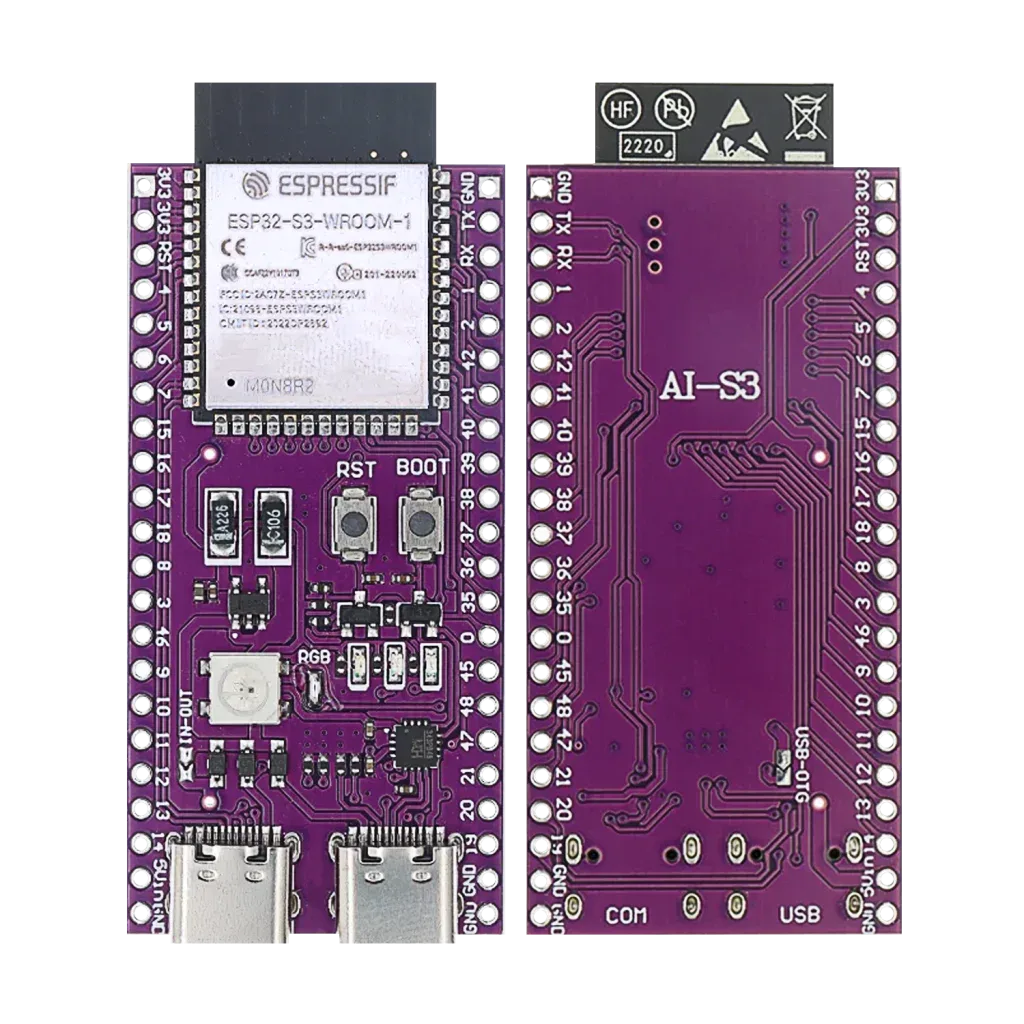
The pin reference for the AI-S3, an ESP32-S3-WROOM-1 development board with dual USB-C, native USB and an onboard addressable RGB LED.
Read more
Reference
AI-S3 Pinout
The pin reference for the AI-S3, an ESP32-S3-WROOM-1 development board with dual USB-C, native USB and an onboard addressable RGB LED.
Read more
 Reference
Seeed Studio XIAO nRF52840 Pinout
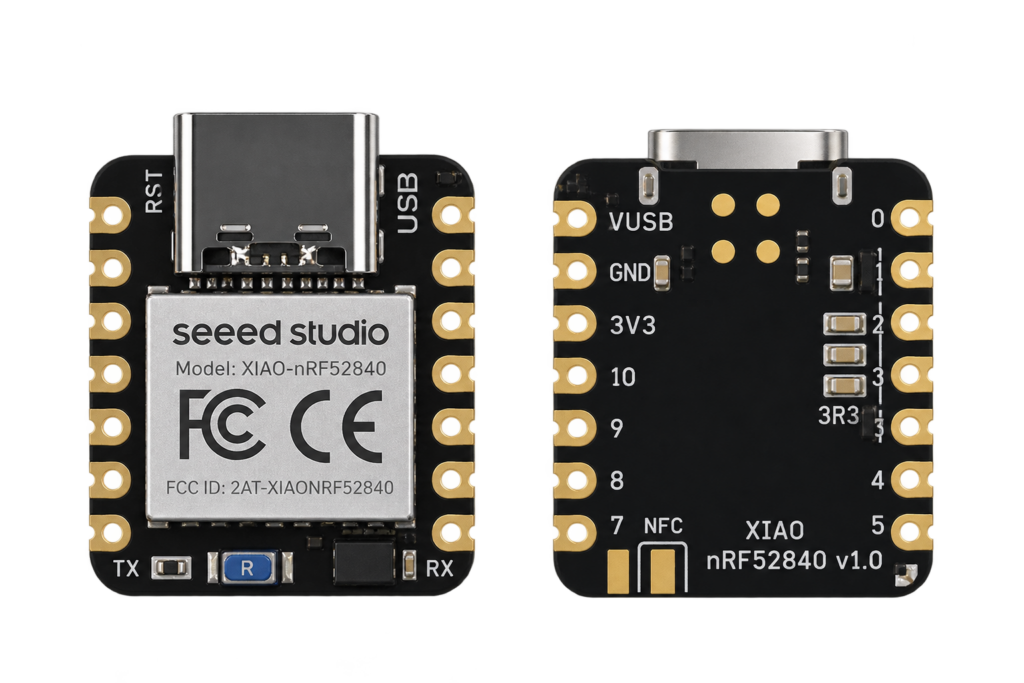
This site's first non-Espressif board: Nordic's nRF52840 Bluetooth Low Energy SoC on Seeed's thumbnail-sized XIAO carrier, with no Wi-Fi radio at all.
Read more
Guide
ESP32-C61 Pinout
The complete pin reference for the ESP32-C61: Espressif’s budget Wi-Fi 6 chip, and the exact pins you can safely reuse.
Read more
Reference
Seeed Studio XIAO nRF52840 Pinout
This site's first non-Espressif board: Nordic's nRF52840 Bluetooth Low Energy SoC on Seeed's thumbnail-sized XIAO carrier, with no Wi-Fi radio at all.
Read more
Guide
ESP32-C61 Pinout
The complete pin reference for the ESP32-C61: Espressif’s budget Wi-Fi 6 chip, and the exact pins you can safely reuse.
Read more
More guides
Keep building.
From ESP32 HomeKit accessories to Arduino and ATtiny reference guides, there’s more where this came from.
All guides