
Electronics
RetroPie on a Raspberry Pi 4B
A Raspberry Pi 4B as a retro game console with RetroPie, and where the files go on the SD card.
- Raspberry Pi
- Archived
- 2 min read
Archived project
The GitHub repository for this project is archived: it is read-only and no longer updated. What follows describes the project as it was, so check for a newer alternative before you build it.
A Raspberry Pi 4B is a good base for a retro game console. This project runs RetroPie on a Raspberry Pi 4B, with the aim of playing Super Nintendo games. It is a short project, and this article shows the part that is easy to get wrong: where the files go on the SD card.
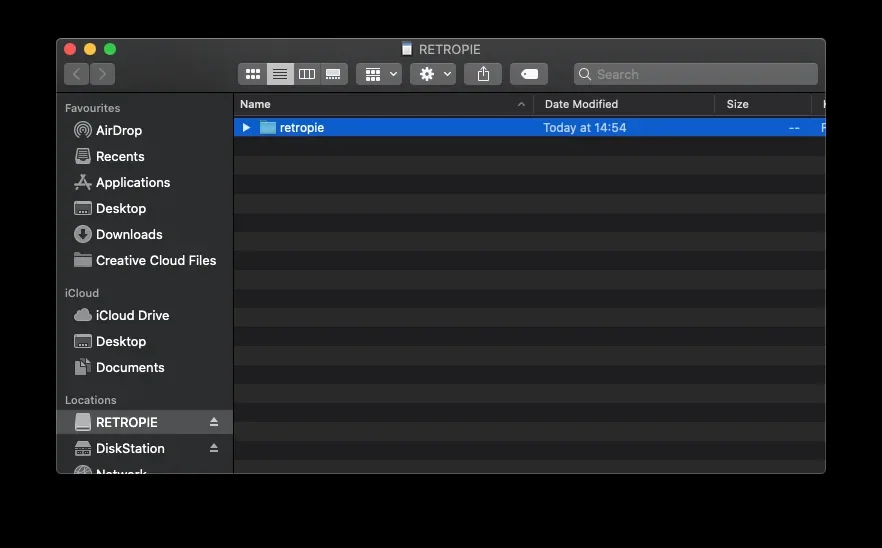
The SD card
When you put the SD card in a Mac, it shows up as a volume called RETROPIE. On a new card there is a folder retropie.
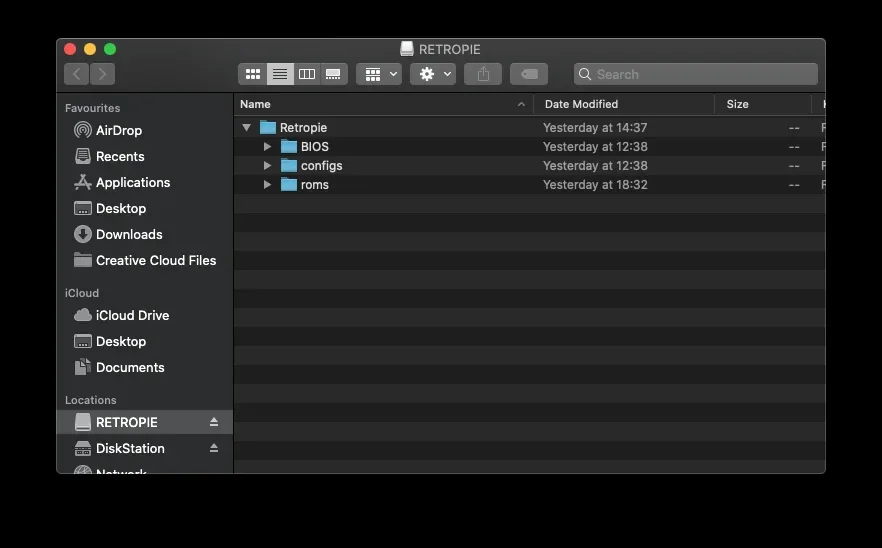
After the Raspberry Pi has started with the card once, the folder holds three folders of its own:
| Folder | What it is for |
|---|---|
| BIOS | Files that some systems need |
| configs | The settings |
| roms | One folder for every game system |
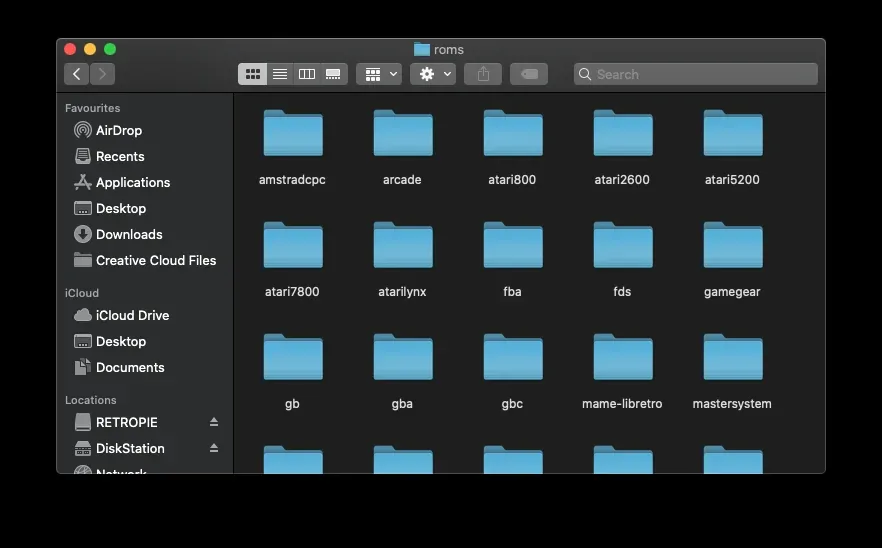
The game systems
The roms folder has a folder for every system, such as arcade, atari2600, gb, gba, mastersystem and snes. Games for a system go in the folder of that system, and RetroPie shows them in the menu after a restart.
The first time RetroPie starts, it asks you to set up your controller: you press a button for each direction and for start, and you can skip the buttons that you do not have.
About the games
This article does not include or link to any game files. Only use games that you own and may copy, and check the rules in your country.
Good to know
- The project runs on a Raspberry Pi 4B.
- Nintendo, Super Nintendo and RetroPie are trademarks of their owners. This project is not made or approved by them.
- The repository has no code. It holds a few screenshots and is under the MIT licence.
The project is in the Raspberry-Pi-Super-Nintendo repository on GitHub.
Related
 Software
ESP32 Lifecycle Manager V2.0
A slow, friendly, step-by-step introduction to OTA updates trough Lifecycle Manager on the ESP32. I get quite a lot of messages and questions from people who want to “try OTA updates”, but who get stuck almost immediately.
Read more
Software
ESP32 Lifecycle Manager V2.0
A slow, friendly, step-by-step introduction to OTA updates trough Lifecycle Manager on the ESP32. I get quite a lot of messages and questions from people who want to “try OTA updates”, but who get stuck almost immediately.
Read more
 Opinion
Why You (Should or Shouldn’t) Buy a Smart Plug from Action
Budget smart plugs from Action and HEMA are cheap because they're all the same Tuya white-label hardware behind the scenes, and that convenience comes with your data routing through Tuya's servers. Here's what's actually inside one, and why reflashing it with your own firmware is the better deal.
Read more
Opinion
Why You (Should or Shouldn’t) Buy a Smart Plug from Action
Budget smart plugs from Action and HEMA are cheap because they're all the same Tuya white-label hardware behind the scenes, and that convenience comes with your data routing through Tuya's servers. Here's what's actually inside one, and why reflashing it with your own firmware is the better deal.
Read more
More projects
Keep building.
Electronics, 3D printing and CNC builds, documented from the first idea to the last screw.
All projects