
Reference
INA219 / INA226 Voltage, Current and Power Sensor Complete Guide
The INA219 and INA226 current and power monitors: real datasheet numbers, 16 I2C addresses, shunt wiring, calibration, working code and the mistakes that give wrong readings.
- 0 to 26 V or 36 V bus
- I2C
- 16 addresses
- 12-bit or 16-bit ADC
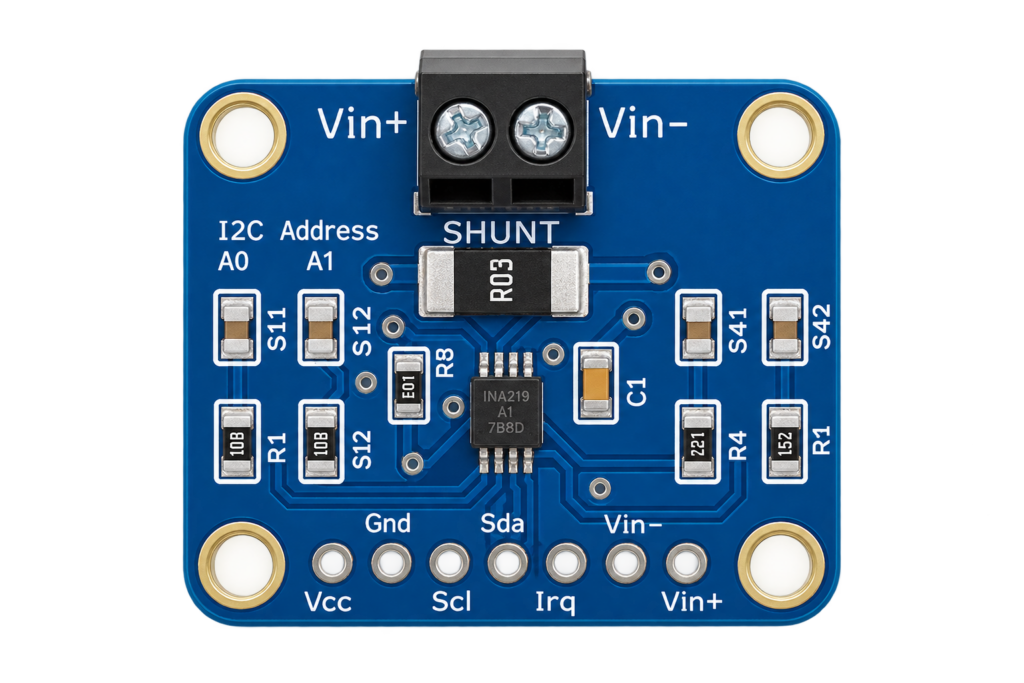
The INA219 and INA226 are Texas Instruments current and power monitors. They measure the small voltage across a shunt resistor in series with a load, and the voltage of the supply line, then report current, bus voltage and power over I2C. They measure low-voltage DC: how much a battery pack, a solar panel or a 3.3 V or 5 V rail really draws. That is a different job from the BL0937 and BL0942 energy-meter chips, which measure mains AC power.
This guide compares the two chips with the real datasheet numbers, shows the pins, the 16 possible I2C addresses, how to wire the shunt, how to calibrate for current, and the mistakes that give wrong readings. The chip data comes from the TI datasheets for the INA219 and the INA226. Breakout boards differ from seller to seller, so check the labels on your own board.
INA219 or INA226
| INA219 | INA226 | |
|---|---|---|
| Bus voltage range | 0 to 26 V (16 or 32 V full scale) | 0 to 36 V |
| Supply voltage | 3 to 5.5 V | 2.7 to 5.5 V |
| Resolution | 12-bit ADC | 16-bit ADC |
| Shunt voltage range | ±40, 80, 160 or 320 mV (programmable gain) | ±81.92 mV (no gain stage) |
| Accuracy | Current and bus error 0.2 % typical, 0.5 % maximum at 25 °C | Gain error 0.1 % maximum, offset 10 µV maximum |
| Alert output | No | Yes, open-drain ALERT pin |
| Averaging | Yes (up to 128 samples) | Yes, configurable |
| I2C addresses | 16 (0x40 to 0x4F) | 16 (0x40 to 0x4F) |
| I2C speed | Up to 2.56 MHz | Fast mode 400 kHz, high-speed up to 2.94 MHz |
| Quiescent current | 0.7 mA typical, 1 mA max | 330 µA typical, 420 µA max |
| Packages | SOT-23-8, SOIC-8 | Small 10-pin package |
The INA219 handles more current with a small shunt because of its gain stage: with a 0.1 Ω shunt and the 320 mV range it measures up to 3.2 A. The INA226 has no gain stage, so its range is fixed at 81.92 mV: with a 0.1 Ω shunt that is about 0.8 A. For higher currents use a smaller shunt. The INA226 has finer resolution, a higher bus voltage limit and an alert output. Both have 16 addresses, so one I2C bus can monitor many rails.
Source: Texas Instruments datasheets for the INA219 and the INA226.
Getting started
Specifications
| Measures | Shunt voltage, bus voltage, and (after calibration) current and power |
| Interface | I2C, two address pins A0 and A1, 16 addresses |
| Bus voltage | INA219: 0 to 26 V. INA226: 0 to 36 V. Never exceed these |
| Supply | INA219: 3 to 5.5 V. INA226: 2.7 to 5.5 V |
| Conversion time | INA219: 84 µs (9 bit) up to 68 ms (12 bit with 128 sample averaging). INA226: up to 8.244 ms per conversion |
| Power-down | INA219: 6 µA typical. INA226 has a power-down mode too |
| Operating temperature | INA219 specified at 25 °C and over −25 to 85 °C (error up to 1 %) |
| Absolute maximum | Do not apply more than 26 V (INA219) or 36 V (INA226) to the input pins |
Source: Texas Instruments datasheets for the INA219 and the INA226.
Dimensions
The INA219 comes in an SOT-23-8 package of 1.63 × 2.90 mm and an SOIC-8 package of 3.91 × 4.90 mm. Breakout boards come in many sizes and shunt values, so measure your own board before you design a case. The shunt on most hobby boards is 0.1 Ω, but check the marking: R100 means 0.1 Ω.
Source: package data in the INA219 datasheet. Board sizes are not given.
Pins
| Pin | Type | Function |
|---|---|---|
| VIN+ | Shunt | Positive side of the shunt. Connect the supply here |
| VIN− | Shunt | Negative side of the shunt. Connect the load here |
| VCC / VS | Power | Logic supply for the chip (3.3 V on most boards) |
| GND | Power | Ground, shared with the microcontroller |
| SDA | I2C | Data |
| SCL | I2C | Clock |
| A0, A1 | Address | Connect each to GND, VS, SDA or SCL to pick one of 16 addresses |
| ALERT | Output | INA226 only: open-drain alarm output |
The order of the header pins differs between boards, so read the print on yours.
Source: pin descriptions in the TI datasheets.
Wiring to an ESP32
| Board pin | Connect to |
|---|---|
| VCC | 3.3 V |
| GND | GND |
| SDA | GPIO21 |
| SCL | GPIO22 |
| VIN+ | Positive of the supply being measured |
| VIN− | Positive wire to the load (the load’s own return goes to the supply minus) |
The chip measures on the high side, so the shunt sits in the positive wire. The ground of the measured supply and the ground of the ESP32 must be connected, otherwise readings are noise. Breakouts have 3.3 V or 5 V logic: use the 3.3 V logic level for an ESP32.
I2C addresses
Both chips have two address pins, A0 and A1. Each can go to GND, VS, SDA or SCL, which gives 16 combinations from 0x40 to 0x4F. With both pins at GND the address is 0x40, which is what nearly all breakouts use by default. Many boards have solder jumpers to change it. If the sensor is not found, run an I2C scan.
#include <Wire.h>
void setup() {
  Serial.begin(115200);
  Wire.begin(21, 22);
  for (uint8_t a = 0x40; a <= 0x4F; a++) {
    Wire.beginTransmission(a);
    if (Wire.endTransmission() == 0) Serial.printf("Found 0x%02Xn", a);
  }
}
void loop() {}
Source: address tables in the TI datasheets.
Software setup
| Platform | What to do |
|---|---|
| Arduino IDE | Install Adafruit INA219 from the Library Manager (it also installs Adafruit BusIO). For the INA226 use a library of your choice or the register example below |
| PlatformIO | Add adafruit/Adafruit INA219 to lib_deps |
| ESP-IDF | Use the I2C master driver and the register addresses below |
Read the INA219
#include <Wire.h>
#include <Adafruit_INA219.h>

Adafruit_INA219 ina219;

void setup() {
  Serial.begin(115200);
  Wire.begin(21, 22);
  if (!ina219.begin()) {
    Serial.println("Failed to find INA219");
    while (1) delay(10);
  }
}

void loop() {
  float busVoltage = ina219.getBusVoltage_V();
  float current_mA = ina219.getCurrent_mA();
  float power_mW = ina219.getPower_mW();

  Serial.print("Bus Voltage: "); Serial.print(busVoltage); Serial.println(" V");
  Serial.print("Current: "); Serial.print(current_mA); Serial.println(" mA");
  Serial.print("Power: "); Serial.print(power_mW); Serial.println(" mW");

  delay(1000);
}
I did not run this sketch on a board, it follows the Adafruit library example. The library assumes a 0.1 Ω shunt and a 32 V, 2 A range by default. If your shunt differs, call setCalibration_16V_400mA() or the other calibration functions.
Read the INA226 yourself
The INA226 is easy to read with a few register accesses. Register 0x01 holds the shunt voltage (2.5 µV per bit, signed), 0x02 the bus voltage (1.25 mV per bit), 0x04 the current and 0x03 the power. The current and power registers only work after you write the calibration register 0x05, where CAL = 0.00512 / (Current_LSB × Rshunt). The power LSB is 25 times the Current_LSB.
#include <Wire.h>
#define ADDR 0x40
const float R_SHUNT = 0.1f;          // ohm
const float CURRENT_LSB = 0.0001f;   // 0.1 mA per bit

uint16_t rd(uint8_t reg) {
  Wire.beginTransmission(ADDR);
  Wire.write(reg);
  Wire.endTransmission(false);
  Wire.requestFrom(ADDR, 2);
  return (Wire.read() << 8) | Wire.read();
}
void wr(uint8_t reg, uint16_t v) {
  Wire.beginTransmission(ADDR);
  Wire.write(reg); Wire.write(v >> 8); Wire.write(v & 0xFF);
  Wire.endTransmission();
}

void setup() {
  Serial.begin(115200);
  Wire.begin(21, 22);
  Serial.printf("Manufacturer ID 0x%04X (expect 0x5449)n", rd(0xFE));
  wr(0x05, (uint16_t)(0.00512f / (CURRENT_LSB * R_SHUNT)));   // 512
}

void loop() {
  float vbus = rd(0x02) * 0.00125f;                    // volt
  float amps = (int16_t)rd(0x04) * CURRENT_LSB;        // ampere
  float watt = rd(0x03) * 25.0f * CURRENT_LSB;         // watt
  Serial.printf("%.3f V  %.4f A  %.3f Wn", vbus, amps, watt);
  delay(500);
}
With a 0.1 Ω shunt the full scale is 0.8192 A, so a Current_LSB of 0.1 mA is right. Do not exceed that current through the shunt, or the readings clip. The INA226 also reports a manufacturer ID of 0x5449 and a die ID of 0x2260, which is a good way to check the wiring. This sketch has not been run on a board.
Source: Texas Instruments INA226 datasheet, registers and calibration.
Getting accurate readings
- Pick the shunt for the current. The voltage across the shunt must stay inside the range of the chip: 81.92 mV for the INA226, up to 320 mV for the INA219. A 0.1 Ω shunt is for amps, a 0.01 Ω shunt for tens of amps.
- Use the whole range. A tiny current on a big shunt gives few bits. Choose the shunt so the highest current you expect uses most of the range.
- Calibrate against a multimeter. Shunt resistors have a tolerance. Measure a known current once and correct the Current_LSB.
- Wire the shunt with Kelvin sense. Run the VIN+ and VIN− wires from the shunt pads, not from the thick power wires, so the wire resistance does not count.
- Average fast loads. A motor or a radio draws spikes. Set averaging, or take many readings and average, to get a stable number.
- Keep the logic supply clean. Put a 0.1 µF capacitor near VS.
Real gotchas
- The voltage limit is hard. Do not apply more than 26 V (INA219) or 36 V (INA226) to the input pins. This is a stress limit, not a rating for normal use, and spikes from motors and relays count.
- The INA219 has 16 addresses, not 4. Both chips have two address pins with four states each.
- No calibration, no current. The current and power registers read zero until the calibration register is written. The shunt and bus voltage registers work at once.
- The shunt is in the high side. If you wire it in the ground line you break the common ground with the ESP32 and the readings are meaningless.
- Both grounds must meet. The measured supply and the ESP32 need a common ground.
- Negative current is possible. The current register is signed. Cast it to a signed 16-bit value.
- The shunt dissipates power. Check P = I² × R, especially with small shunts and large currents.
- Not for mains. These chips are for low-voltage DC only. For AC mains use an isolated energy-meter module, never these.
Compared with other options
| Part | Measures | Good for | Weak point |
|---|---|---|---|
| INA219 / INA226 | DC voltage, current, power | Digital, calibrated, I2C | Needs a shunt in the supply line, 26 or 36 V limit |
| BL0937 / BL0942 | Mains AC power | Made for smart plugs | Mains voltage, needs isolation and care |
| ACS712 type Hall sensor | Current, analog | No break in the supply line | Lower accuracy, an analog output to read |
| Multimeter | Manual | Quick | Not a logger |
See the BL0937 and BL0942 guides for mains power. The ACS712 row is general knowledge and not from a datasheet read for this guide.
What to build with it
- Battery fuel gauging: track real current draw to estimate remaining runtime.
- Solar panel monitoring: measure actual power output under real conditions.
- Power-budget debugging: find which part of a project is drawing more current than expected.
- Overcurrent protection logic: cut power in software if current exceeds a safe threshold.
- A USB power meter that logs voltage and current of a charger or a cable.
- A bench supply logger that records the current of a device under test.
Safety notes
Before you wire anything up
- Keep the bus voltage below 26 V (INA219) or 36 V (INA226). Inductive loads and batteries can spike above their rated voltage.
- Never connect these chips to mains voltage. They are not isolated.
- A shunt can get hot at high currents. Check its power rating.
- Disconnect the supply before you change the wiring, and never leave a shunt unconnected in a live circuit.
- Lithium batteries can start a fire when shorted. Put a fuse in the line when you measure a battery.
Conclusion
The INA219 and the INA226 give you voltage, current and power of a DC line over I2C. Take the INA219 for a wide gain range and currents of a few amps with a small shunt, and the INA226 for a 36 V bus, better resolution and an alert output. Remember the two traps: the current register stays at zero until you calibrate, and the shunt must sit in the high side with a common ground.
Chip data is from the Texas Instruments datasheets for the INA219 and the INA226.
Related
 Reference
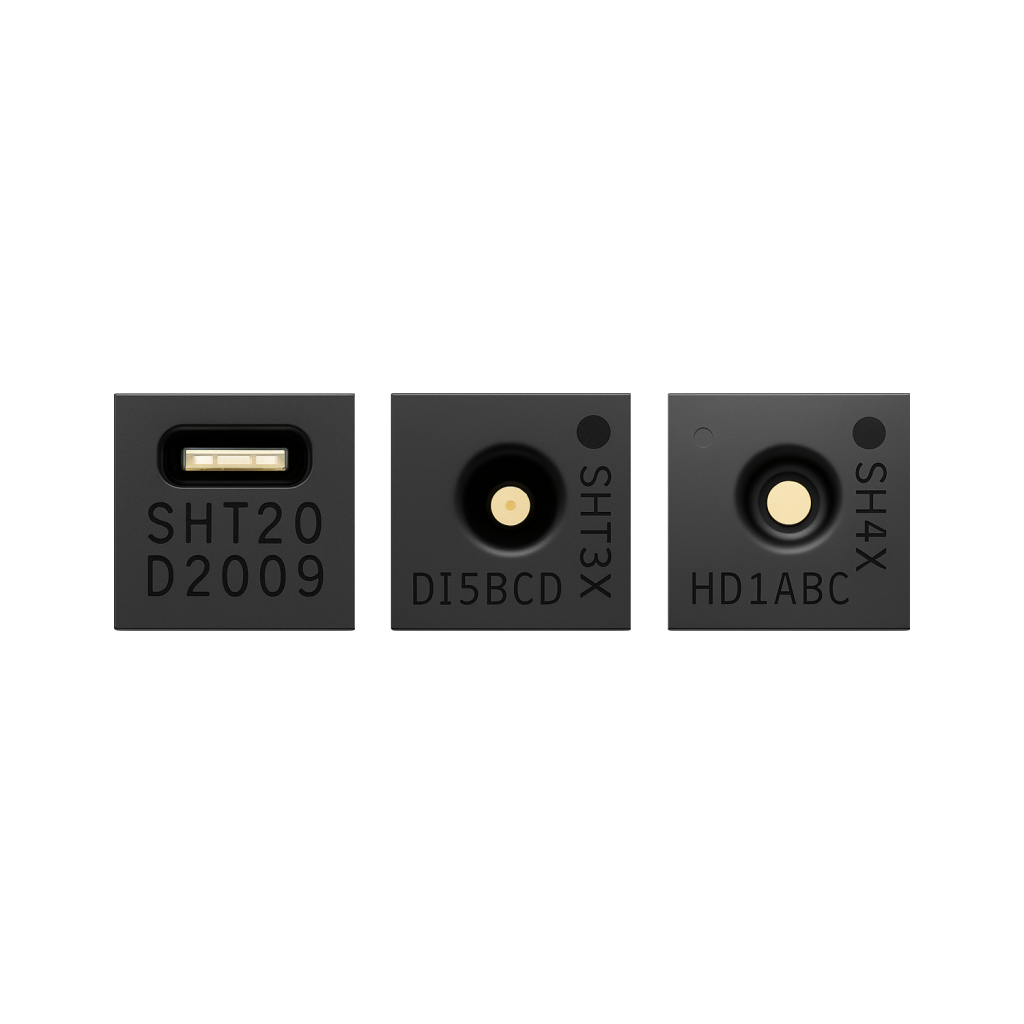
The Ultimate Guide to the SHT Sensor Series
Sensirion's SHT2x/3x/4x family are factory-calibrated I2C temperature and humidity sensors with low drift and fast response. This guide compares the three series, covers wiring an SHT31 to an ESP32, and helps pick the right model for accuracy, power budget or outdoor use.
Read more
Reference
The Ultimate Guide to the SHT Sensor Series
Sensirion's SHT2x/3x/4x family are factory-calibrated I2C temperature and humidity sensors with low drift and fast response. This guide compares the three series, covers wiring an SHT31 to an ESP32, and helps pick the right model for accuracy, power budget or outdoor use.
Read more
 Reference
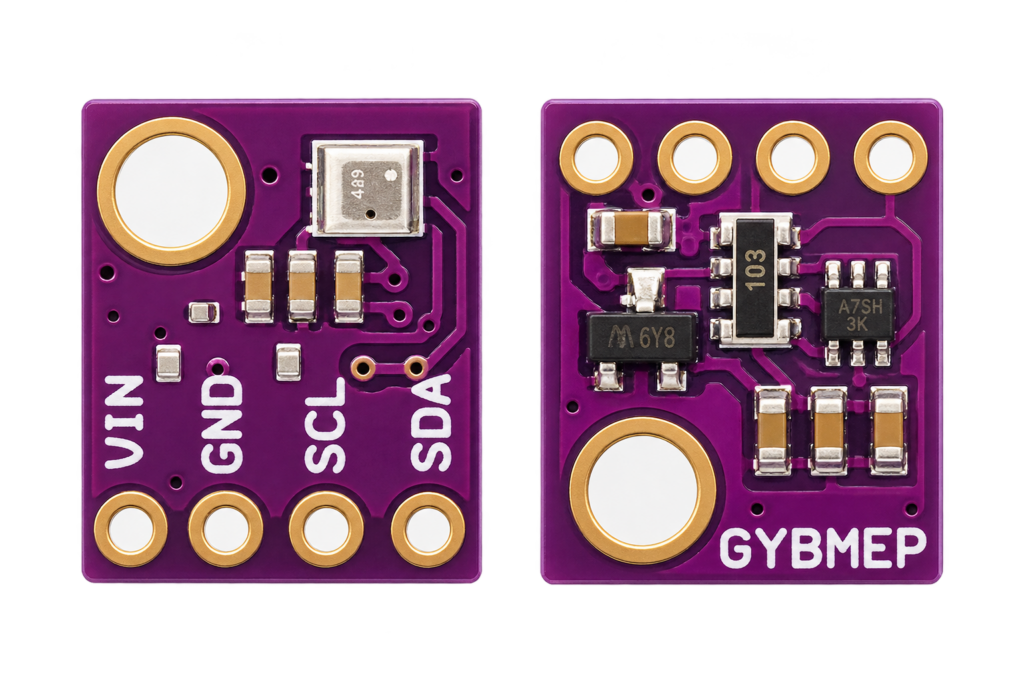
BME280 Temperature, Humidity & Pressure Sensor
A combined environmental sensor that reads temperature, humidity and barometric pressure from one I2C chip. Covers the BME280 vs BMP280 mislabeling trap, the calibration/compensation maths, and estimating altitude from pressure.
Read more
Reference
BME280 Temperature, Humidity & Pressure Sensor
A combined environmental sensor that reads temperature, humidity and barometric pressure from one I2C chip. Covers the BME280 vs BMP280 mislabeling trap, the calibration/compensation maths, and estimating altitude from pressure.
Read more
 Reference
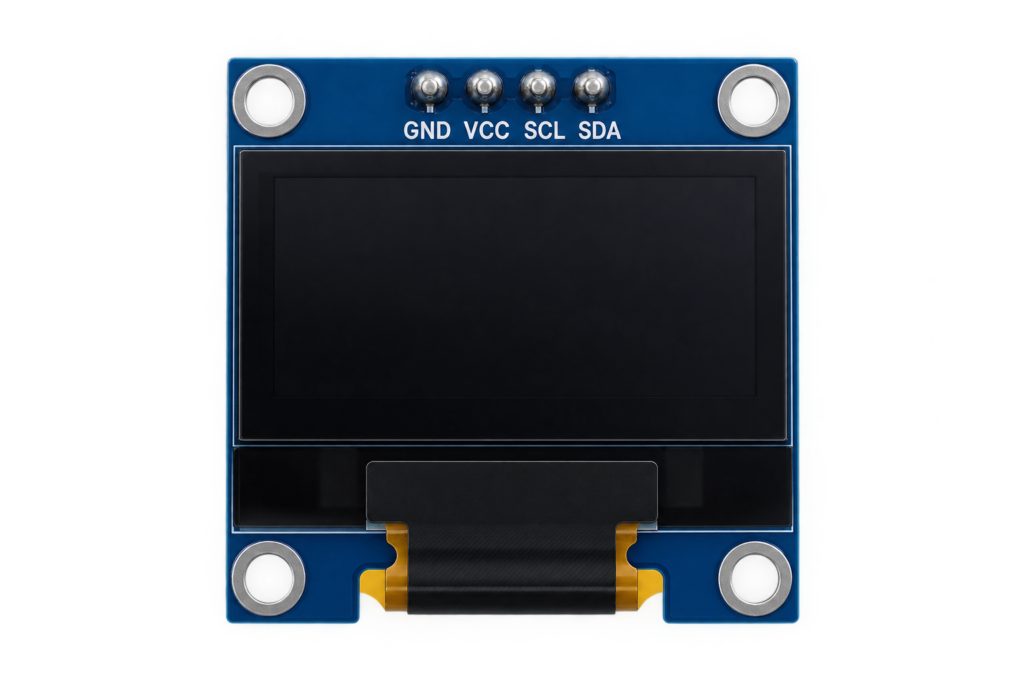
SSD1306 OLED Display
A tiny, self-illuminating I2C display for turning a headless ESP32 project into something readable at a glance. Covers the SSD1306 vs SH1106 offset trap, how the page-based framebuffer works, and avoiding burn-in.
Read more
Reference
SSD1306 OLED Display
A tiny, self-illuminating I2C display for turning a headless ESP32 project into something readable at a glance. Covers the SSD1306 vs SH1106 offset trap, how the page-based framebuffer works, and avoiding burn-in.
Read more
More guides
Keep building.
From ESP32 HomeKit accessories to Arduino and ATtiny reference guides, there’s more where this came from.
All guides